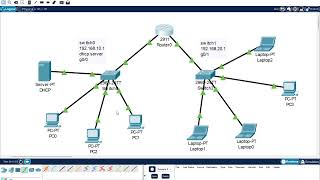
Cisco Packet Tracer Basic Switch Setup.
Автор: PEERING T.V.
Загружено: 2021-08-03
Просмотров: 810
Come and practice with me daily twice to achieve the goal and learn networking faster with me remember there is no alternative for practice. consistency is needed to excel in any field.
Today topic stepwise.
1. Use the local laptop connect to the switch console and configure the laptop with the right
parameters for console access to the Cisco 2960 Catalyst switch
2. Configure Switch hostname as LOCAL-SWITCH
3. Configure the message of the day as "Unauthorized access is forbidden"
4. Configure the password for privileged mode access as "cisco". The password must be md5 encrypted
5. Configure password encryption on the switch using the global configuration command
6. Configure CONSOLE access with the following settings :
Login enabled
Password : ciscoconsole
History size : 15 commands
Timeout : 6'45''
Synchronous logging
7. Configure TELNET access with the following settings :
Login enabled
Password : ciscotelnet
History size : 15 commands
Timeout : 8'20''
Synchronous logging
8. Configure the IP address of the switch as 192.168.1.2/24 and it's default gateway IP (192.168.1.1).
9. Test telnet connectivity from the Remote Laptop using the telnet client.

Доступные форматы для скачивания:
Скачать видео mp4
-
Информация по загрузке: