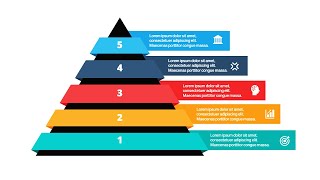
How to Make A Fancy Triangle Infographic Slide in PowerPoint
Автор: Slide Cow
Загружено: 2018-01-30
Просмотров: 6636
► GET THE 5 FREE SLIDES HERE: https://goo.gl/TBZibY
► CHECK OUT THE STRIVE POWERPOINT TEMPLATE: https://goo.gl/JpT1CH
We're going to keep things simple this week and create a fancy triangle infographic slide in PowerPoint. The whole idea of this slide is to make something valuable using just one shape. It just goes to show that simplicity can be really effective in PowerPoint.
The Fancy Triangle Infographic PowerPoint Slide Tutorial
Do not be intimidated by how the slide looks. Trust me; it doesn't get easier than this. All I used was a combination of triangular shapes and PowerPoint's 'Merge Shapes' features to get this done.
The video will teach you how to:
Create a 3-point triangle infographic in PowerPoint.
Add a shadow to the 3-point triangle infographic to give it depth (plus, it looks way cooler than a flat color illustration).
Add a little flair to the title of the slide (not all titles have to be boring).
Use simple shapes and icons to highlight the message beautifully.
Reinforce whatever theme you have with the appropriate fonts, colors, and text.
The icons used in the PowerPoint tutorial came from Slide Cow's first multi-purpose PowerPoint template that is on sale right now: the Strive PowerPoint Template. You'd get all those beautiful icons (which are completely editable, might I add) and gorgeous slides for such a low price. Plus, 10% of every sale goes to charity at no extra cost. What're you waiting for?
Need Help? Just Ask!
We read everything on Slide Cow! If you’re stuck on something then just leave a comment in the post below. Feel free to drop a line in the YouTube video’s comment action as well, if that’s your thing.
✦✦SLIDE COW SOCIAL MEDIA✦✦
► Slide Cow Facebook: / slidecow
► Slide Cow Twitter: www.twitter.com/slidecow

Доступные форматы для скачивания:
Скачать видео mp4
-
Информация по загрузке: