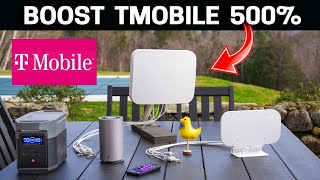
How to modify the TS9 external antenna sockets on a ZTE MC801A 5G router so they don't snap off
Автор: David “DEVO” Harry
Загружено: 2022-08-07
Просмотров: 93227
Visit Router-Mods https://geni.us/RouterModsWebsite
Bluespot 4G/5G antenna Amazon https://geni.us/Bluespot4G5G
Bluespot Mini 5G antenna Amazon https://geni.us/BluespotMini5G
Bluespot 4G/5G Bluespot website https://bluespotnet.co.uk/products/bl...
Bluespot Mini 5G Bluepost website https://bluespotnet.co.uk/products/bl...
Router-Mods playlist: • Router-Mods
How to modify the TS9 external antenna sockets on a ZTE MC801A 5G router so they don't snap off.
In this video I'm showing a simple antenna modification to a 3 branded ZTE MC801A 5G router to help with strain relief when connecting external antennas to the router's TS9 external antenna sockets.
This is a very simple antenna modification that just uses a couple of TS9 to SMA cable extenders that connect to the router's TS9 ports and are then taped to the body of the router to give the strain relief that these TS9 antenna sockets need.
These SMA to TS9 cables are also known as SMA to TS9 pigtails or TS9 to SMA pigtails. In any event and regardless of what name they are referred to by, they are simply coaxial extension cables that have male TS9 on one end and female SMA on the other.
Once done, the router essentially has SMA external sockets on it that are a better choice for connecting external antennas to. Plus, with the SMA to TS9 cables being taped to the body of the router, you will definitely get more strain relief when connecting antennas. As just the weight of an antenna coaxial cable is enough to snap off the TS9 ports.
I can't over emphasise enough just how important this strain relief is for the external antenna sockets. Without such a modification, I can almost guarantee you that at some point you will snap off and break the TS9 connectors off the router's motherboard.
These TS9 connectors on this router are simply surface mounted straight to the router's PCB motherboard. Effectively giving no strain relief at all.
It's also worth bearing in mind that with this particular 3 ZTE 5G router, once either of the TS9 sockets are snapped off or broken. Your router will no longer operate properly with 5G. Even if your router indicates a 5G signal, you will have a very slow speed. Basically, the router becomes useless for 5G and doesn't even revert back to its internal 5G antennas.
This simple antenna modification will also work many other 5G routers, 5G modems, also know as a 5G gateway or 4G gateway, or even 4G routers and 4G modems that use TS9 for their external antenna connections. Even a home Wi-Fi router or modem that has these TS9 sockets can benefit from such a simple antenna modification.
It's also worth noting that such a simple modification will not void your warranty or guarantee as you are only connecting a cable to a socket that's designed to be used by the end user for attaching external antennas to. There is no opening up the router, so therefore no voiding of any warranty or guarantee.
Amazon links to stuff used in this video:
The 50cm SMA to TS9 cables I used: https://geni.us/50cmSMAtoTS9
Other SMA to TS9 cables: https://geni.us/SMAtoTS9cables
ZTE MC801A 5G router: https://geni.us/ZTE-MC801A-5G-Router
Other SIM free 5G routers: https://geni.us/5G-Routers
Please give a thumbs up, sub, share my videos and click the bell for notifications.
As a small independent self financed YouTube technology channel that does not have major sponsors. It does take a lot of time and money to help keep my channel running and to fund it. Any support you could offer would be massively appreciated.
Supporting my channel by using my Amazon links to buy anything from Amazon, not just the products I link to, gives me a small cut but doesn't cost you anything extra. You can also send me a coffee donation via my PayPal link, coffee keeps me going while editing :) Or a thumbs up, sub or share is a massive help for my channel.
Support via PayPal https://www.paypal.me/DavidHarry
My YouTube equipment & recommendations.
Amazon USA https://amzn.to/3g2Oi3i
Amazon UK https://amzn.to/2ZR6IOV
My Amazon Shop links.
Amazon USA https://www.amazon.com/shop/davidharry
Amazon UK https://www.amazon.co.uk/shop/davidharry
Amazon USA: https://geni.us/Amazon-USA
Amazon UK: https://geni.us/Amazon-UK
Amazon Deutschland: https://geni.us/Amazon-Deutschland
Amazon France: https://geni.us/Amazon-France
Amazon España: https://geni.us/Amazon-Espana
Amazon Italia: https://geni.us/Amazon-Italia
Amazon Canada: https://geni.us/Amazon-Canada
As an Amazon Associate I earn from qualifying purchases when you use my Amazon Affiliate links.
Contact me for product reviews.
[email protected]
http//www.DavidHarry.com
I’m David Harry. Thank you very much for watching this video, take care and goodbye now.
Cheers,
Dave.
#DavidHarry#LiverpoolTV#Router-Mods

Доступные форматы для скачивания:
Скачать видео mp4
-
Информация по загрузке: