ZDepth Plus plugin for ZBrush Tutorial 4
Автор: ZM Polygon
Загружено: 2025-12-29
Просмотров: 775
#CharacterArt #ZBrush #AI3D
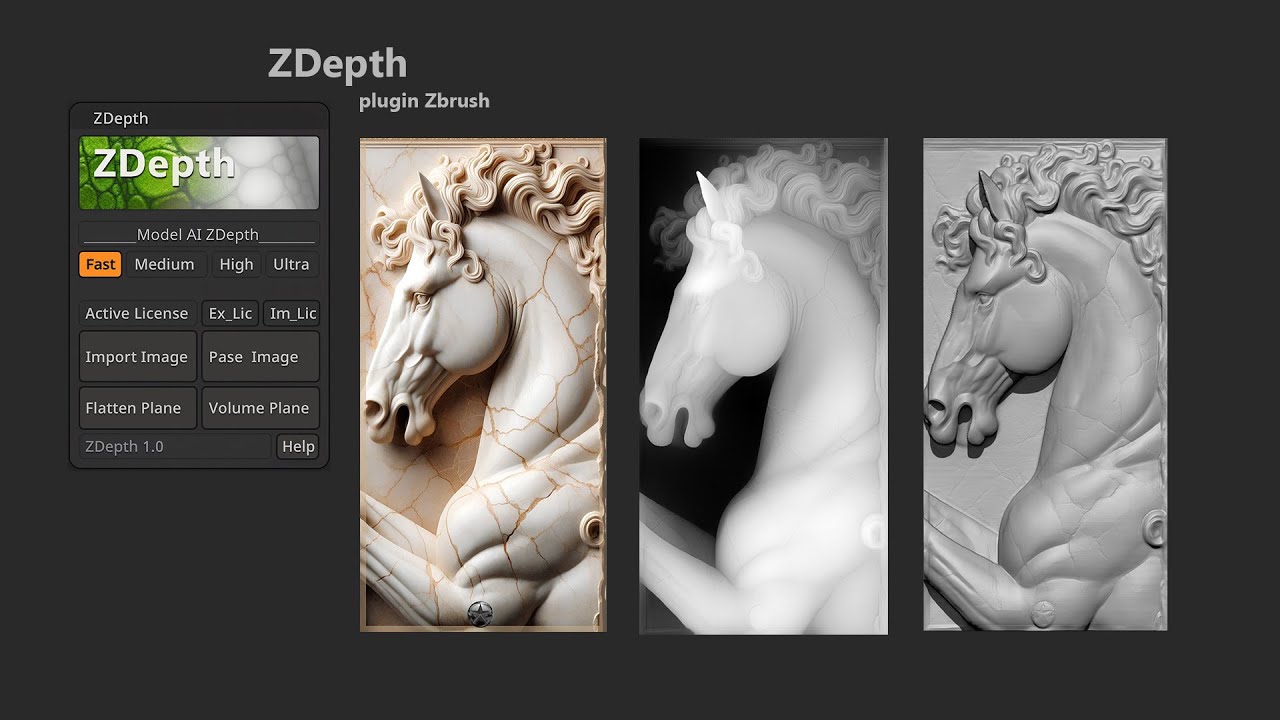
ZDepth Plus – Update New Features
Download Plugin: https://gum.co/ZDepthPluginZbrush
Upscaler Tool: https://upscayl.org/download
Main Features
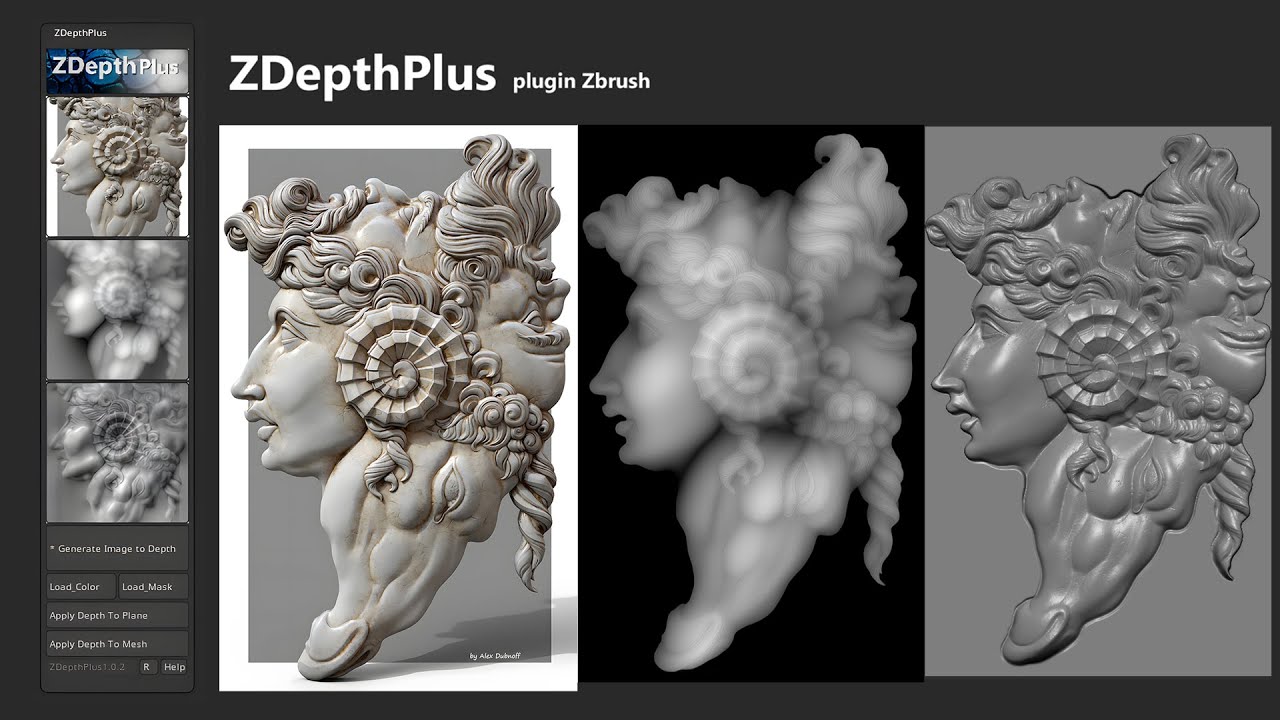
Generate_Image_to_Depth
Run the AI pipeline to create maps in /temp:
depth, depth_blur, depth_shape, dispZ, line_art, bump, mask
Load_Color
Load a color image for quick visual reference or checking.
Load_Mask
Load a black–white mask to keep the subject area and clean/flatten the background.
Depth Application
🪶 Apply_Depth_To_Plane
Create a plane that matches the image size (with thickness).
Apply + blend DisplacementZ.
Auto-split layers:
depth / depth_blur / depth_shape / dispZ / line_art / bump / mask
Mask usage: optional (use or skip).
Apply_Depth_To_Mesh
Apply displacement directly to a mesh with UVs.
Preserve existing subdivs/layers.
Auto-split layers:
depth / depth_blur / depth_shape / dispZ / line_art / bump / mask
Mask usage: optional (use or skip).
⚙️ Photoshop Integration
R – Set Photoshop Path
Pick and store the path to Photoshop.exe.
Used by “Open Mask (PSD)” and “Open All Maps (PSD)” JSX runners.
Press again to change the path.
Mask Modes (Use Mask? Dialog)
Use_Mask
Keep the subject area.
Clean/flatten the background when applying & blending displacement.
Skip_Mask
Apply displacement to the entire image.
Edit_Mask_PSD
Open Photoshop to review and edit the mask before blending displacement.
Load_All_Maps_PSD
Open Photoshop to inspect all generated maps at once:
depth, depth_blur, depth_shape, dispZ, line_art, bump, mask
#ZDepth #ZBrush #ZBrushPlugin #3DModeling #DigitalSculpting
#ImageToDepth #DepthMap #AI3D #ZBrushTools #3DTools
#CGArtist #3DArt #CharacterArt #ZMPolygon
Доступные форматы для скачивания:
Скачать видео mp4
-
Информация по загрузке: