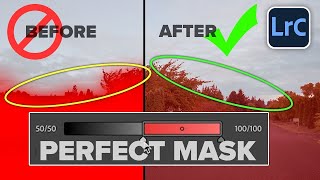
Elevate Your HEADSHOTS With AI-POWERED MASKS In Adobe LIGHTROOM CLASSIC
Автор: Focus Photo School
Загружено: 2024-12-04
Просмотров: 853
Learn how to quickly elevate your headshots using AI-Powered Masks in Adobe Lightroom Classic. In this tutorial, I will show you how to give your portraits the professional edge they deserve and delight your subjects with stunning results.
Why AI-Powered Masks?
AI Adaptive masks are a game-changer for photographers. You can save time, and achieve more professional-looking results, by using Lightroom’s Artificial Intelligence commands to automatically detect the appropriate portions of your subject’s face.
AI-powered masks enable precise edits without the need for tedious brushwork or complex selections inside of Lightroom Classic!
Key Techniques Covered in This Tutorial:
Creating Precise Masks: Learn how to use Lightroom’s AI-powered People Mask tool to automatically select your subject’s face and other features.
Enhancing Facial Features: Discover how to selectively adjust the Exposure, Contrast, and Color to bring out the best in your subject’s face.
Adding Depth and Dimension: Learn how to use masks to add subtle Texture and Clarity to your subject’s skin.
Creating Eye-Catching Eyes: Discover how to enhance the color and brightness of your subject’s eyes to make them truly stand out.
Chapters
00:00 Introduction
00:50 Elevate A Headshot Using AI Adaptive Masks In Lightroom Classic
06:25 Supercharging Your Headshots (Female)
09:58 Conclusion
------------
Learn Adobe Photoshop Lightroom Classic, Adobe Lightroom (Cloud-Based) Adobe Lightroom for Mobile, or Snapseed from Google with our complete video training courses at http://www.focusphotoschool.com.
FocusPhotoSchool.com subscribers receive unlimited access to hundreds of in-depth video tutorials from Adobe Certified Lightroom / Photoshop Expert David Marx.
Visit our website today to take your photography to the next level!

Доступные форматы для скачивания:
Скачать видео mp4
-
Информация по загрузке: