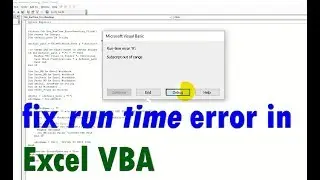
Excel VBA Runtime Error 76 Path Not Found | Quick & Permanent Solution (2025) | Excel Tech & Tricks
Автор: Excel Tech & Tricks
Загружено: 2025-10-11
Просмотров: 753
Download Excel Repair Tool Here - https://www.repairmsexcel.com/blog/fr...
In this video, I’ll walk you through the exact steps to fix Excel VBA runtime error 76 path not found quickly and permanently. You’ll learn how to locate missing file paths, and how to prevent it from happening again. Whether you’re a beginner or an advanced Excel user, this guide will help you troubleshoot file path issues, debug your code, and optimize your VBA settings for smooth automation.
.
Key Moments in Video:
0:00 Intro
0:33 Solution 1: Check the File or Folder Path
0:55 Solution 2: Add New Location
1:38 Solution 3: Access the File Using Recent Workbooks
2:18 Solution 4: Use Open and Repair Tool
3:03 Solution 5: Use the Excel Repair Tool
Excel Tech & Tricks YouTube Channel
Here you will get fixes of common and advanced MS Excel errors and issue along with latest Excel Tips, Tricks and tutorials to skyrocket your productivity at work.
Follow us on social media:
Facebook: / repairmsexcel
Twitter: / repairmsexcel
Pinterest: / microsoft-excel-repair-tool
Stay tuned for more Excel Awesomeness...!

Доступные форматы для скачивания:
Скачать видео mp4
-
Информация по загрузке: