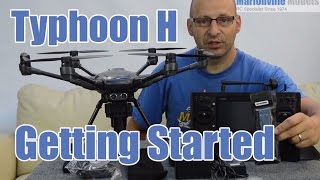
Yuneec Typhoon H ST16 Zoom Facility
Автор: Drone Cymru
Загружено: 2017-03-04
Просмотров: 38307
This is our video showing the setup instructions to add a zoom facility to the ST16 controller from your typhoon H or Q500 drone. As stated in the video, the zoom feature is just for viewing on your RC and does not record the zoomed image. This just allows you to see close ups of what your are filming and is useful when your are surveying things like bridges, etc. If you film in a high enough resolution, you will be able to zoom in on your editing software. We can give you detailed instructions on how to do this on Sony Vegas Pro, just ask us in the comments box. Please subscribe to get notified of our other Yuneec hints and tips!
*Apologies for the poor sound quality, my microphone was too close to some speakers!*
Equipment:
Nikon D5300 - http://amzn.to/2m1BE9v
Nikon D3200 - http://amzn.to/2m1HWWl
GoPro Hero5 - http://amzn.to/2kCd3uA
Rode VideoMic Go - http://amzn.to/2kC7qNj
Yuneec Typhoon H with CGO3 Pro 4K Camera - http://amzn.to/2m1Ph8w
Joby Focus Gorillapod - http://amzn.to/2kC6IPL
Joby Ballhead - http://amzn.to/2kNVgvG
DJI Phantom 4 - http://amzn.to/2lYkvR6
Watch our Optic Sensations drone videos - / @dronecymru
Follow me -
✩ Instagram - https://www.instagram.com/taffycrisp/...
✩ Twitter - / crisptaffy
✩ Blog/Website - http://www.taffycrisp.com
✩ Facebook - htto://www.facebook.com/taffycrispuk
This video is subject to copyright.

Доступные форматы для скачивания:
Скачать видео mp4
-
Информация по загрузке: