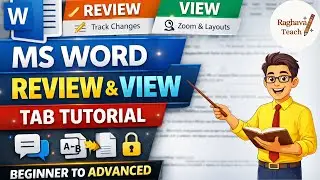
MS Word References Tab Full Guide | Beginner to Advanced | MS Word Part 5 | Raghava Teach
Автор: Raghava Teach
Загружено: 2026-01-11
Просмотров: 7
In this complete MS Word References Tab tutorial (Beginner to Advanced), you will learn how to professionally manage references, citations, and academic documents using Microsoft Word.
This video is perfect for students, beginners, researchers, teachers, and office users who want to create well-structured documents like projects, reports, theses, research papers, and assignments.
📌 What you’ll learn in this video:
Introduction to the References Tab in MS Word
How to add and manage Table of Contents automatically
Insert and edit Footnotes & Endnotes
Use Citations & Bibliography (APA, MLA, Chicago styles)
How to add Captions to images, tables, and figures
Create and update Table of Figures
Cross-references explained with real examples
Index creation step-by-step
Final document review tips for professional formatting
This is a step-by-step full guide, explained in simple language, so even a complete beginner can understand and move to an advanced level confidently.
📘 Whether you are working on:
College projects
Research papers
School assignments
Office reports
This video will save you time and make your documents look professional and polished.
👉 Watch till the end to master the MS Word References Tab completely.
#msword #mswordforbeginners #msword_computer #mswordtutorial #msoffice #mswordtutorialforbeginners #computereducation #basiccomputer #msword_excel_powerpoint #raghavatech
Доступные форматы для скачивания:
Скачать видео mp4
-
Информация по загрузке: