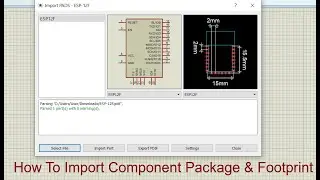
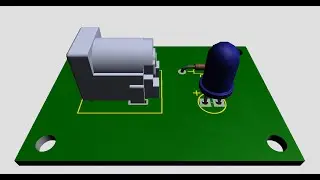
How to download file Tblock 3D put in Proteus
Автор: CHHUNLONG KH
Загружено: 2019-12-01
Просмотров: 9422
#TEED
Hello everyone, in this video, we will learn to download file 3D put in proteus
A pop-up window will show. Select the folder icon shown below the image and navigate to your downloaded. Once imported, you can now adjust the orientation of the 3D model until it fits in the footprint. On the toolbar, select the 3D Visualizer icon. Notice that you have successfully imported the 3D model.
✅Don't Forget to LIKE 👍 SUBSCRIBE 🔔️️️ SHARE ↗️
Support Me 👍
ABA Bank: 002199941 (CHAY CHHUN LONG)
ACLEDA Bank: 087983044 (CHAY CHHUN LONG)
FTB Bank: 3000-1068-8373 (CHAY CHHUN LONG)
▶️WATCH MORE VIDEOS:
✔️My Playlist :
▶️ EasyEDA: • EasyEDA
▶️ Proteus: • Proteus
▶️ Electronic: • Electronic
▶️ Amplifier : • Amplifier 3200W Class D
✔️Stay connected :
▶️FACEBOOK - / chhunlong.chay
▶️FACEBOOK page: / amplifier44
▶️Telegram: https://t.me/LONG_JR
Thank you for watching👍

Доступные форматы для скачивания:
Скачать видео mp4
-
Информация по загрузке: