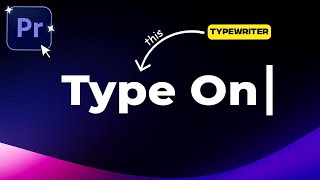
After Effects Tutorial: Create a Realistic Typewriter Text Effect with Blinking Cursor
Автор: Motionhub Academy
Загружено: 2023-01-12
Просмотров: 6359
In this tutorial, I'll walk you through creating a classic typewriter text effect with a blinking cursor in After Effects! Perfect for intros, cinematic scenes, or adding a retro touch to your projects, this step-by-step guide will show you how to achieve that authentic typewriter animation.
What you’ll learn:
Setting up the typewriter text effect
Adding a blinking cursor
Timing and pacing tips for smooth animations
Customizing text speed, color, and style
This is a beginner-friendly tutorial, so even if you’re new to After Effects, you’ll be able to follow along and create stunning text animations in no time!
Don’t forget to 👍 like, subscribe, and hit the 🔔 for more tutorials—and let’s bring that typewriter vibe to life! 🖋️💥
💾 Download Project Files: https://motionhub.gumroad.com/l/ugnjp
👤 1-on-1 Coaching Session: https://www.motionhub.net/coaching
⚡ Support me on Patreon: / motionhub
🔥 Discord: / discord
❤️ Be sure to leave a comment and check out my channel! I have a lot more videos.
🎥 Don't forget to share this video.
▬▬▬▬ Contents of this video ▬▬▬▬▬▬▬▬▬▬
0:00 - intro
0:32 - Creating the typewriter effect
3:46 - Highlighting words
5:35 - Changing the cursor
6:07 - Creating the LED effect
7:44 - Writing multiple texts
▬ More Videos ▬▬▬▬▬▬▬▬▬▬▬▬
✅ After Effects Tutorials: https://bit.ly/2RJgHCT
Learn After Effects Basics Tutorials - Beginners & Advanced Adobe After Effects Free Motion Graphics Tutorials.
#AE #AfterEffectsTutorial #AfterEffects

Доступные форматы для скачивания:
Скачать видео mp4
-
Информация по загрузке: