How to Extract AppImage Files for Linux Users!
Автор: LinuxHowTo
Загружено: 2026-01-02
Просмотров: 93
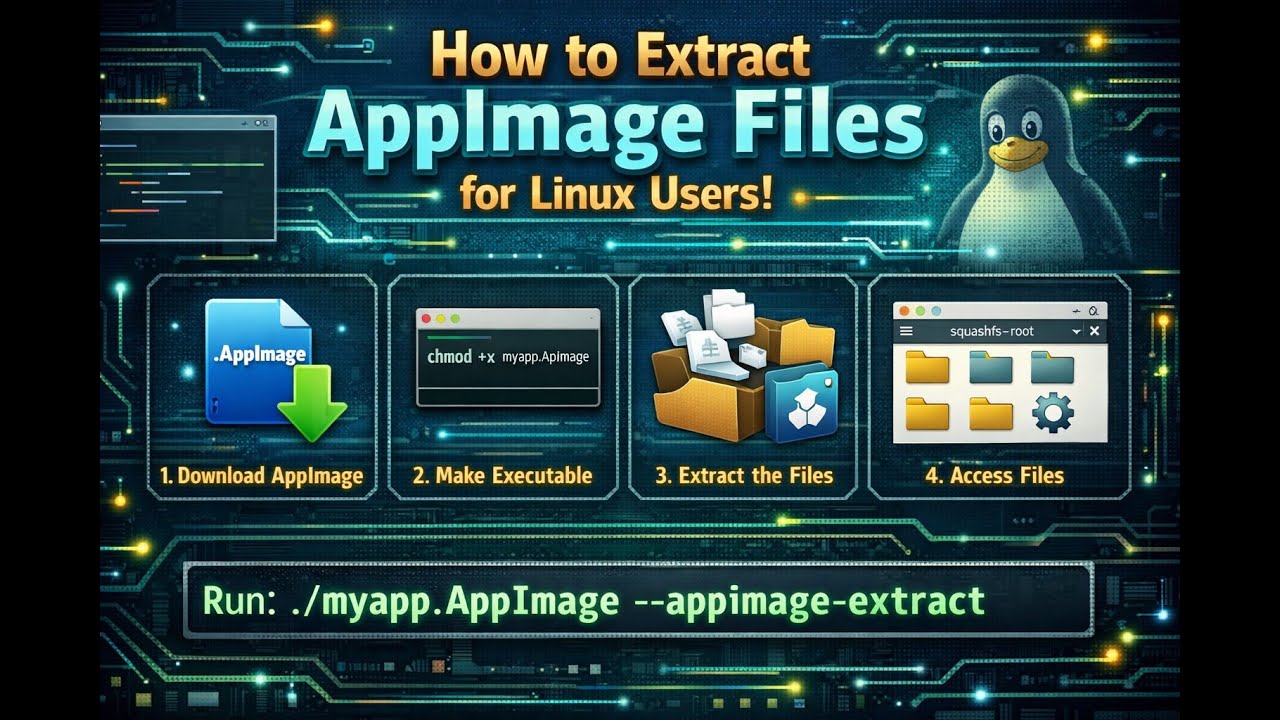
Need to extract AppImage files on Linux? In this video, we’ll show you how to extract AppImage files using the terminal. We’ll cover the steps to get your AppImage file, open the terminal, and use the --appimage-extract option to extract the contents. Let’s dive into the process and see how easy it can be!
Learn:
Step-by-Step Guide
Get Your AppImage File:
Download the AppImage file you want to extract.
Open Terminal:
Open your terminal application.
Make the AppImage Executable:
Navigate to the directory containing your AppImage file.
Run the following command to make the AppImage file executable:
chmod +x yourapp.appimage
View AppImage Options:
Run the following command to see all the available options for your AppImage file:
./yourapp.appimage --appimage-help
Extract the AppImage File:
Use the --appimage-extract option to extract the contents of the AppImage file:
./yourapp.appimage --appimage-extract
✅ Why Extract AppImage Files?
Customization: Extract files to customize or inspect the contents.
Portability: Extracted files can be easily moved or shared.
Debugging: Useful for troubleshooting and understanding the structure of the AppImage.
✅ Pro Tips
Check Permissions: Ensure the AppImage file has execute permissions before running it.
Use Absolute Paths: Sometimes using absolute paths can help avoid issues.
Backup Files: Always keep backups of your AppImage files before extracting.
Hit subscribe for more Linux tips and like if this helped.
Let us know: What AppImage file will you extract first?
👉 Watch now and learn how to extract AppImage files on Linux!
#LinuxTips #AppImage #TerminalCommands #ProductivityHacks
(Short, clear, and packed with practical knowledge!)
Доступные форматы для скачивания:
Скачать видео mp4
-
Информация по загрузке: