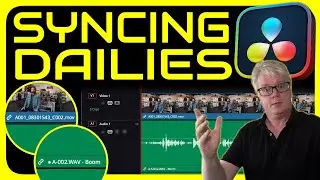
Sync with Timecode in Davinci Resolve - Creating Time of Day Stringouts
Автор: Joshua Kirk
Загружено: 2024-06-03
Просмотров: 23621
At the beginning of any edit project, one of the first steps is to sync your audio and video together. The easiest way to do this is using Timecode on set. This is a short video explaining how I create a Time of Day Stringout at the start of each project to visualise all the assets captured on the day.
⏩ Follow on Instagram:
/ joshuakirk.nz
⏩ Free Filmmaking Assets:
https://joshuakirknz.gumroad.com/
========== Chapters ==========
00:00 - Introduction
00:30 - Update Timecode on Video
02:27 - Create a Time of Day Timeline
03:30 - Import Clips to Timeline Using Timecode
04:30 - Confirm Sync
04:59 - Wrap Up
========== Links ==========
I use this software for all of our Production Quotes and Estimates:
https://qwilr.com/?r=JpKzqTlMH4s
I get all my music for films and videos here:
https://www.musicbed.com/invite/HEVgr
I present all my commercial quotes and contracts using QWILR:
https://qwilr.com/?r=JpKzqTlMH4s
==============================
This description includes affiliate links, which earn a commission to help support my channel at no additional cost to you. I only share products and services that are actually awesome!
MB01WKPPEKCA2M3
MB0151REPIKSBPY

Доступные форматы для скачивания:
Скачать видео mp4
-
Информация по загрузке: