Deep, Atmospheric Pads in Ableton with Stock & Foley | Ambient, Jungle, Drum n Bass, Techno
Автор: Human Synthetics
Загружено: 2023-11-05
Просмотров: 4254
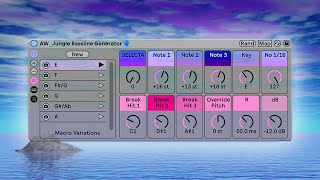
In this video I show you how to make deep, layered, atmospheric, evolving pads in Ableton using just stock devices - Wavetable, Collision and Sampler - and found sound, or foley. These pad sounds are perfect for all types of ambient music, ambient jungle, ambient drum n bass, techno, and the whole gamut of electronic music genres.
📡 Get the Ableton set with all 27 deep, ambient pads including the pad generators on my Patreon: / humansynthetics
💬 Discord: / discord
#ableton #ambientmusic #musicproduction
💜 CREDIT:
The idea for a pad generator of sorts came about watching videos from two of my favourite YouTube creators, @groovining and @Thought-Forms:
@groovining Classic Jungle Pads From Scratch (Source Direct Pt.6): • Classic Jungle Pads From Scratch (Source D...
@Thought-Forms Use this 90s sampling technique for ethereal pads: • Use this 90s sampling technique for ethere...
I wanted to explore an amalgamation of the two ideas explored in these videos, in Ableton with just stock devices (okay, and some found sound too). One thing Ableton excels at is generative stuff.
My idea was to create an Instrument Rack that I could use the 'Random' button with to generate new pad sounds with just a click.
I explored a proof of concept on my music production livestream - '90s Ambient Jungle Pad Generator in Ableton with Stock Devices': • 90s Ambient Jungle Pad Generator in Ableto...
The found sound I used in this video came from: https://www.luftrum.com/free-field-re...
@HumanSynthetics
Hi, my name's Alex and I make electronic music as Human Synthetics. I make jungle, drum and bass, breakbeat, idm, house, techno, electro, lofi, dubstep, bass music, garage, ambient and whatever I can try my hand at.
I livestream my everyday creative process as a music producer using Ableton Live as much as possible. I make music every day whenever and wherever I can and I want to share this process with the world. • Livestreams
I also make tutorials about using Ableton Live, from chopping breaks to mixing and mastering. • Ableton Tutorials
Have a question about music production or using Ableton? Leave a comment, or pop it in the chat on one of my livestreams. Better still, why not put it to the community on Discord? / discord
If you like my content and want to support me, there are a few ways you can do that, including subscribing, streaming my music on Spotify, buying it on Bandcamp, becoming a patron on Patreon or dropping me a tip on Ko-fi.
🙏🏻 Patreon: / humansynthetics
📻 Stream & buy my music + socials: https://linktr.ee/humansynthetics
🟢 Spotify: https://open.spotify.com/artist/00VVA...
💾 Bandcamp: https://humansynthetics.bandcamp.com/
☕ Buy me a coffee: https://ko-fi.com/humansynthetics
Gear
Computer:
2021 14inch Apple MacBook Pro
Apple M1 Pro 16GB RAM, 1TB SSD
Plug-ins/VSTs:
Ableton Stock
Reaktor
Valhalla
Soundtoys
Izotope
Audio Interface:
Behringer U-Phoria UMC22 USB Audio Interface
MIDI Controllers:
Akai APC Mini
Native Instruments Komplete Kontrol M32 Controller Keyboard (on long term loan from Elkie: https://westernlore.bandcamp.com/trac...)
Headphones:
Neumann NDH20
Camera:
Logitech C920
Canon M50 w/ EF-M 20mm Prime Lens
Mic:
Shure SM58
Monitor:
Samsung LC27R500FHUXEN 27" Curved Monitor
Lighting:
Neewer LED Panel Lights
Smallrig RGB LED Light
Chapters
0:00 Intro & sound demos
1:56 What I’m going to show you in this video
2:40 Wavetable
3:23 Here’s one I made earlier
3:45 Creating an Instrument Rack and mapping macros
6:29 MIDI Effects Chord & Scale, mapping macros
7:43 Changing Mod Sources & Unison Mode
8:48 Adding in Hybrid Reverb
9:40 Creating movement with Wavetable’s Modulation Matrix
12:14 Using Envelope Looping for additional modulation & Split Filter mode
14:06 Modulating Warp & Fold, & adjusting Global Time
16:00 Using Instrument Rack Randomisation to create new patches
16:55 Creating our second pad layer with Collision
18:02 Mapping more macro controls
19:20 Sound demo with Collision in the mix
21:09 Creating our foley layer using Sampler
25:05 Creating our final noise layer using Sampler & full sound demo
26:44 Randomising the Instrument Rack controls
27:07 Changing wavetables
27:42 Saving what we’ve created
27:48 Resampling single notes a la Thought-Forms
29:34 Hitting Randomise and recording something new
31:19 Loading our resampled notes into Sampler & creating a pad - Sample Offset is key!
33:35 Creating additional layers in Sampler
34:09 Creating additional modulation & effects in the layers
35:48 Creating a second Sampler pad
37:35 Additional modulation in Sampler on the high layer
40:00 Final thoughts
41:09 Thanks & credits

Доступные форматы для скачивания:
Скачать видео mp4
-
Информация по загрузке: