How to get a 600k+ run in MEGABONK | Full Unedited Guide
Автор: Fuzbo
Загружено: 2026-01-27
Просмотров: 316
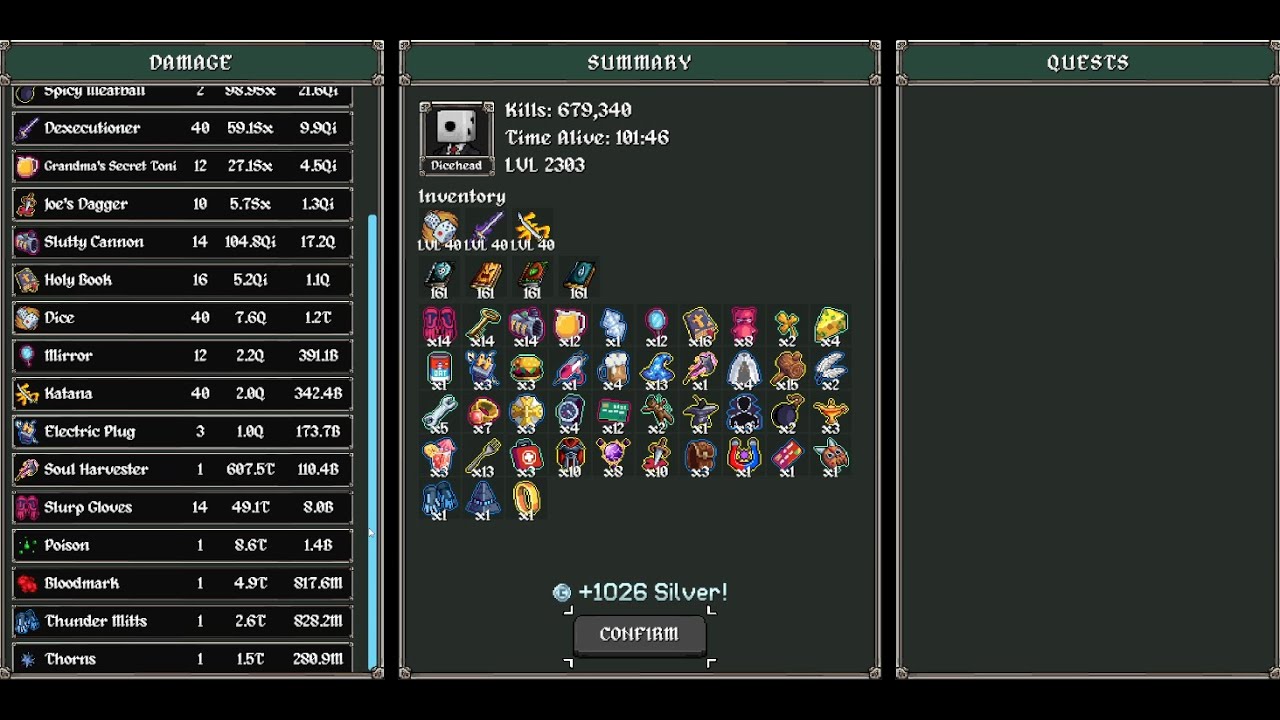
This video is unedited from the start of looking for runs to getting a decent run (mostly because I'm a scuffed Youtuber & don't know what I'm doing with editing software). I may make a more trimmed-down version later that is suitable for people who aren't interested in watching a 4.5 hour video, so please leave any questions you have in the comments below and I'll try to answer them here & in that future video.
This video was recorded on v1.0.65. If you are playing on a later patch, items / the general meta may have (and likely will have) changed. For keeping up-to-date with the meta, I recommend looking at top builds on https://megabonk.fun/ or joining the official MEGABONK discord server.
If you're interested in watching a livestreamer friend of mine that's much better at the game than me and is happy to help answer questions you may have during live runs, check out / cstan__
Timestamps - WIP (Will add more timestamps later)
0:00 - Pre-Run Info
1:45 - Info -- Character Selection
3:30 - Info -- Weapon Selection
5:42 - Info -- Tome Selection
11:06 - Info -- Item Selection
24:40 - Info - Tome Selection Pt.2 (Chaos Tome)
25:53 - Info -- Quick Resetting
Bans
Power Gloves (After 0)
Ice Cube (After 0)
Scarf (After 0)
Spiky Shield (After 0)
Magnet (After 1)
Soul Harvester (After 1)
Meatball (After 2)
How to Enable Super Fast Resetting:
1. Press Windows Key + R.
2. Enter %AppData%\..\LocalLow\Ved\Megabonk\Saves\LocalDir and run.
3. Open config.json in a text editor.
4. Change these game settings to these values:
"quick_reset": 1,
"quick_reset_time": 0.05,
"super_quick_resets": 1
Доступные форматы для скачивания:
Скачать видео mp4
-
Информация по загрузке: