Популярное

Музыка Кино и Анимация Автомобили Животные Спорт Путешествия Игры Юмор

Интересные видео

2025 Сериалы Трейлеры Новости Как сделать Видеоуроки Diy своими руками

Топ запросов

смотреть а4 schoolboy runaway турецкий сериал смотреть мультфильмы эдисон
dTub
Скачать

How To Go FAST With Photoshop - The Speed Blur Effect

Автор: Brendan Williams

Загружено: 2021-03-19

Просмотров: 18452

Описание:

The Easiest Ways To Cut Out Images In Photoshop:    • 3 Easy Ways To Cut Out Images In Photoshop...  

Learn More About Using Transparents Gradients:    • How To Make Transparent Gradients In Photo...  
-----------------------------------------------------------------------
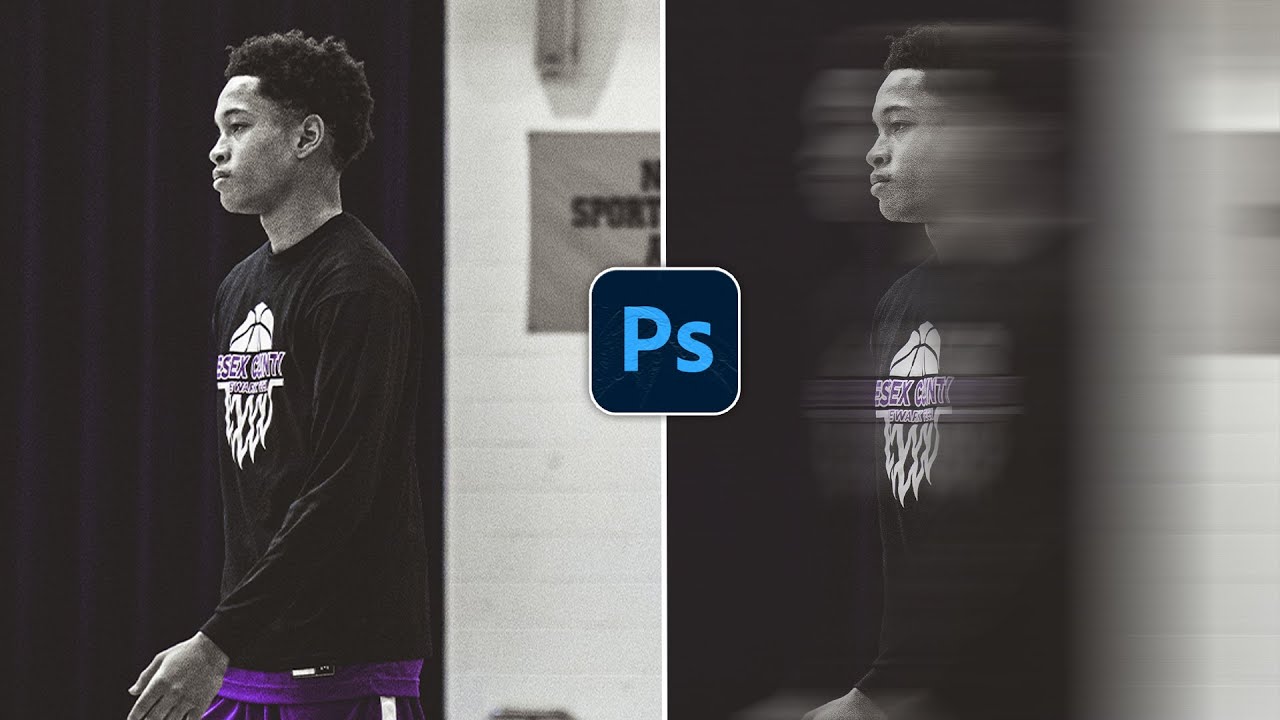
If you love that motion blur look in images, then this speed blur effect is going to be your new favorite effect. Whether you're taking photos of a car, motorcycle, or something running, you can streak the background to make it look like they're going a lot faster than they really are. In this Photoshop tutorial, you'll learn how you can use motion blurs or radial blurs to create the illusion of speed, as add a little extra zest into your photos.

The way these blur effects works is by first separating the subject from the background with the help of an automatic selection tool and content-aware fill. Then once the two are parts of the photo are on different layers, you can apply a motion blur onto the background to create the illusion of speed, streaking the background behind your subject. You can go crazy with this and make it look like you're going warp speed in star-trek, or do something a little more subtle.
-----------------------------------------------------------------------
Find More Tutorials Here: https://bwillcreative.com/

Come Say Hello:   / brnwills  
-----------------------------------------------------------------------
Timestamps
0:00 Intro + Overview
0:47 Separating The Subject
3:00 Content-Aware Fill Background
4:40 Adding Motion Blur
5:57 Refining The Motion Blur
6:52 Changing The Blur Amount
8:00 Additional Thoughts

How To Go FAST With Photoshop - The Speed Blur Effect

Поделиться в:

Доступные форматы для скачивания:

Скачать видео mp4

  • Информация по загрузке:

Скачать аудио mp3

Похожие видео

Путин резко меняет тактику / Впервые применено секретное оружие

Путин резко меняет тактику / Впервые применено секретное оружие

Урок №1 Обзор интерфейса Canva

Урок №1 Обзор интерфейса Canva

How to Make Music Videos with AI | Full Course

How to Make Music Videos with AI | Full Course

Make Glowing Youtube Thumbnails In Photoshop | Beginners Tutorial + Free Actions ✅

Make Glowing Youtube Thumbnails In Photoshop | Beginners Tutorial + Free Actions ✅

Как создать ЭФФЕКТ СУПЕРСКОРОСТИ в Photoshop

Как создать ЭФФЕКТ СУПЕРСКОРОСТИ в Photoshop

Easy Motion Path Blur in Photoshop

Easy Motion Path Blur in Photoshop

How to Create Super Speed Effect in Photoshop

How to Create Super Speed Effect in Photoshop

Create Speed Effect in Photoshop (QUICK & EASY)

Create Speed Effect in Photoshop (QUICK & EASY)

The Hidden

The Hidden "Halo Removal" Slider in Photoshop!

How to Create a Speed Effect in Photoshop

How to Create a Speed Effect in Photoshop

Create Light Rays in 3 Simple Steps with Photoshop

Create Light Rays in 3 Simple Steps with Photoshop

How to Use Motion Blur in Photoshop

How to Use Motion Blur in Photoshop

Simple Way To Apply a DUAL LIGHTING Effect In Photoshop!

Simple Way To Apply a DUAL LIGHTING Effect In Photoshop!

Easy Way to Blur a Background in Adobe Photoshop 2023

Easy Way to Blur a Background in Adobe Photoshop 2023

The 3 Easiest Ways To Cut Out Images In Photoshop

The 3 Easiest Ways To Cut Out Images In Photoshop

Remove Backgrounds In Photoshop 2025 [EASY For Beginners!]

Remove Backgrounds In Photoshop 2025 [EASY For Beginners!]

How To Blur Backgrounds in Photoshop [FAST & EASY!]

How To Blur Backgrounds in Photoshop [FAST & EASY!]

Create Motion Blur In Photoshop IN 60 SECONDS!

Create Motion Blur In Photoshop IN 60 SECONDS!

How To Add A Motion Blur Effect To Your Sports Photos in Photoshop | 2024 |

How To Add A Motion Blur Effect To Your Sports Photos in Photoshop | 2024 |

© 2025 dtub. Все права защищены.


  • Контакты
  • О нас
  • Политика конфиденциальности


Контакты для правообладателей: infodtube@gmail.com