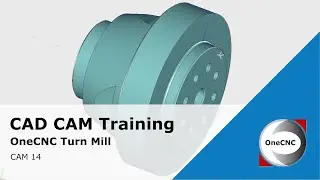
Preparing Geometry for Main and Subspindle Tool Path in OneCNC Lathe Expert - CAD Training
Автор: OneCNC CAD/CAM
Загружено: 2024-11-26
Просмотров: 380
In this training video, we will prepare our geometry for applying tool paths using OneCNC Lathe Expert. We'll create and manage geometry for both main spindle and subspindle operations, ensuring precise and efficient machining.
Key Topics Covered:
Renaming Layers for Better Organization:
Renaming the geometry layer to "Main Spindle" for better clarity.
Good housekeeping practices for layer management.
Creating a Copy of Geometry for Subspindle Work:
Selecting and copying the original geometry.
Rotating the geometry by 180 degrees around the Y-axis.
Assigning Geometry to Layers:
Creating and assigning geometry to a "Subspindle" layer.
Managing visibility of different layers for better workflow.
Positioning the Geometry for Subspindle Operations:
Moving the part to align the x0, y0, z0 at the desired location.
Using incremental move commands for precise adjustments.
Extracting Wireframe Geometry for Holes and Profiles:
Using extract edge and extract lathe profile commands.
Creating wireframe geometry for holes and cross-sections.
Cleaning Up and Managing Geometry:
Trimming unnecessary geometry to keep a clean workspace.
Deleting excess geometry and organizing wireframe elements.
Preparing Main Spindle Geometry:
Repeating the process for main spindle geometry.
Ensuring only necessary geometry is visible for tool path application.
Timestamps:
0:00 Introduction
0:08 Renaming Layers for Better Organization
1:00 Creating a Copy of Geometry for Subspindle Work
2:30 Assigning Geometry to Layers
3:00 Positioning the Geometry for Subspindle Operations
4:00 Extracting Wireframe Geometry for Holes and Profiles
5:30 Cleaning Up and Managing Geometry
7:00 Preparing Main Spindle Geometry
9:00 Ensuring Clean and Efficient Geometry for Tool Paths
10:00 Conclusion
By the end of this video, you'll have a comprehensive understanding of how to prepare and manage geometry for both main spindle and subspindle operations in OneCNC Lathe Expert. This tutorial covers crucial steps for setting up your workspace, ensuring efficient tool path application, and maintaining an organized project.
Don't forget to like, comment, and subscribe for more training videos and updates.
Thank you for watching, and stay tuned for our next training video where we will start applying tool paths!

Доступные форматы для скачивания:
Скачать видео mp4
-
Информация по загрузке: