How To Open Source Control Explorer In Visual Studio? - Next LVL Programming
Автор: Next LVL Programming
Загружено: 2025-01-16
Просмотров: 468
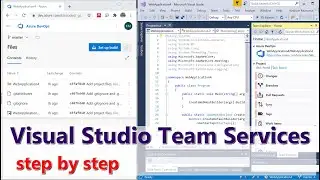
How To Open Source Control Explorer In Visual Studio? Managing your code effectively is essential for any developer working with Visual Studio, especially when using Team Foundation Version Control (TFVC). In this video, we will guide you through the process of accessing the Source Control Explorer, a vital tool for managing your project files and code changes. We’ll outline the necessary steps to ensure your project is connected to the right repository and how to navigate the Visual Studio interface to find the Source Control Explorer.
You’ll learn about different methods to open the Source Control Explorer, whether through the Team Explorer or directly from the menu bar. We’ll also address common issues, such as switching from Git to TFVC and changing your source control plugin settings. Once you have the Source Control Explorer open, we’ll discuss how to navigate the interface, perform essential actions like checking in and checking out files, and manage more complex tasks such as branching and merging.
This video is designed to help you streamline your workflow in Visual Studio and make the most of the Source Control Explorer. Whether you’re a beginner or looking to refresh your skills, this tutorial is for you. Don’t forget to subscribe to our channel for more helpful programming tips and tutorials!
⬇️ Subscribe to our channel for more valuable insights.
🔗Subscribe: https://www.youtube.com/@NextLVLProgr...
#VisualStudio #SourceControl #TFVC #TeamFoundation #CodingTutorial #Programming #SoftwareDevelopment #CodeManagement #VersionControl #DeveloperTips #Coding #ProgrammingHelp #VisualStudioTips #CodeRepository #Git #BranchingAndMerging

Доступные форматы для скачивания:
Скачать видео mp4
-
Информация по загрузке: