How to Optimise Your Unity Game With Occlusion Culling
Автор: Max O'Didily
Загружено: 2025-04-06
Просмотров: 1838
How to Optimise Your Unity Game With Occlusion Culling
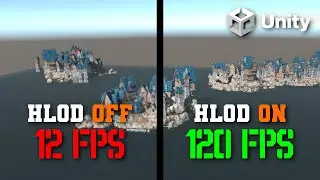
Greetings, in this tutorial we shall be looking at how to implement occlusion culling into a Unity game. Occlusion culling in Unity is a performance optimization technique that prevents the rendering of objects not currently visible to the camera because they are blocked by other objects. This reduces draw calls and GPU load, improving frame rates in complex scenes.
Occlusion culling can improve your frame rate of your Unity game. This tutorial on Occlusion culling will only improve your frame rate if you have a lot of static objects. A static object is an object that is flagged as static and is not allowed to change its transform. So it can't change position, change rotation or change scale. This can be great in certain situations like a big city, with many buildings staying still.
To add occlusion culling into your Unity game, start by selecting the objects in your scene that don’t move—these could be buildings, cliffs, or walls—and mark them as Static in the Inspector. You can do this by selecting the object, looking at the top right of the Inspector, and ticking the checkbox labeled “Static.” Unity will treat these objects as unchanging, which is essential for occlusion culling to work correctly.
If you have many static objects that are a child of the same parent, you can just make the parent static and Unity will ask you if you want to make the children objects static. This can save some time.
Next, open the Window - Rendering - Occlusion Culling panel. This is where you can bake the occlusion data. You’ll see options like Bake, Visualization, and Object Culling. Click Bake to generate occlusion data for the scene.
Once the baking process is complete, Unity will automatically start using occlusion culling at runtime. You can test it by clicking on the Visualization tab, moving the camera around the scene, and watching which objects disappear when they're supposed to be hidden. This is Unity showing you that those objects are culled from rendering because they’re blocked by others.
You can also look at the stats button in the game view to see how how much your frame rate has improved.
And that’s it! You’ve now added occlusion culling to your Unity game. This is a great way to optimize performance in scenes filled with static geometry, especially when you’re building large, detailed environments.
Thanks for watching this tutorial on occlusion culling in Unity.
Frustum culling is a built-in Unity feature that automatically prevents objects outside the camera's view from being rendered. It works by checking whether an object is within the camera’s view frustum—a cone-shaped area that represents what the camera can see. If an object is outside this area, Unity skips rendering it. Occlusion culling builds on top of this by also skipping objects inside the camera’s view if they’re blocked by other objects, making both systems work together to boost performance.
If this Unity occlusion culling tutorial was useful, then be sure to subscribe for more Unity tutorials.
How to Optimise Your Unity Game With Occlusion Culling
Unity Occlusion Culling Tutorial

Доступные форматы для скачивания:
Скачать видео mp4
-
Информация по загрузке: