Build a WhatsApp AI Agent That Takes Payments + Books Clients (Make Tutorial)
Автор: Folu ilori | Ai Automations
Загружено: 2025-10-06
Просмотров: 1599
👉 Start/Scale your own Ai Agency: https://whop.com/ai-automation-accele...
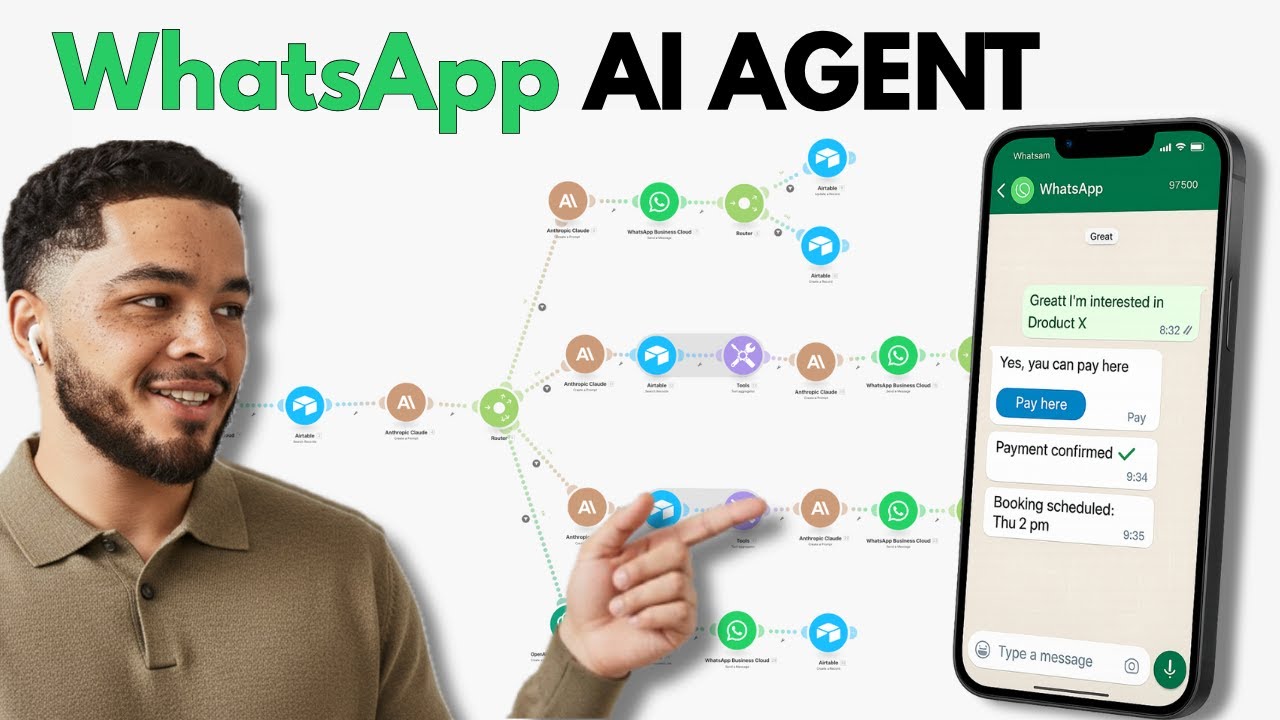
In this video, I’ll walk you through building a WhatsApp AI agent designed for a car rental company. This agent can answer customer questions, check car availability, send payment links for deposits, and automatically update all bookings in Airtable—all via WhatsApp chat.
Using Make.com (formerly Integromat), Claude AI, Airtable, and Molly payment integration, you’ll learn how to:
📘 What You’ll Learn
• How to set up a WhatsApp Business Cloud connection in Make.com
• How to create an Airtable backend database for cars, conversations, and reservations
• How to route incoming messages intelligently using Claude AI for FAQs, car searches, availability checks, and payments
• How to generate Airtable search formulas dynamically based on user input
• How to send tailored responses and payment links back through WhatsApp
• How to track payment status via Molly webhooks and update Airtable accordingly
🧠 Tools Used
• Make.com → to manage automation workflows and integrations
• WhatsApp Business Cloud → for customer messaging interface
• Airtable → as the backend database for inventory and booking data
• Claude AI → for message routing and generating smart responses and search queries
• Molly → for generating and handling payment links
🕒 Timestamps
00:00 – Overview: WhatsApp AI car rental agent walkthrough
04:00 – Building Airtable car, conversations, and reservations tables
12:00 – Connecting WhatsApp Business Cloud in Make.com
15:00 – Searching and updating conversation history in Airtable
18:00 – Configuring Claude AI as a routing assistant
21:00 – Setting up routes for FAQs, car search, availability, and payment
31:00 – Creating dynamic Airtable search formulas with AI
38:00 – Crafting AI response prompts for car search and availability
44:00 – Generating payment link JSON with ChatGPT and integrating Molly
53:00 – Setting up Molly webhook to receive payment confirmation
57:00 – Updating Airtable records on payment success and notifying users
If you want to skip the build and get the complete pre-built automation, click the first link above to join my community and download the full setup ready to plug and play.
Leave a comment below if you get stuck or want to see more detailed tutorials on any part of this workflow! Don’t forget to like and share if you find this useful.
Доступные форматы для скачивания:
Скачать видео mp4
-
Информация по загрузке:




![ChatGPT и Gemini устарели. Вот реально рабочий инструмент [Opal]](https://image.4k-video.ru/id-video/0RvCVXVMftE)