Популярное

Музыка Кино и Анимация Автомобили Животные Спорт Путешествия Игры Юмор

Интересные видео

2025 Сериалы Трейлеры Новости Как сделать Видеоуроки Diy своими руками

Топ запросов

смотреть а4 schoolboy runaway турецкий сериал смотреть мультфильмы эдисон
dTub
Скачать

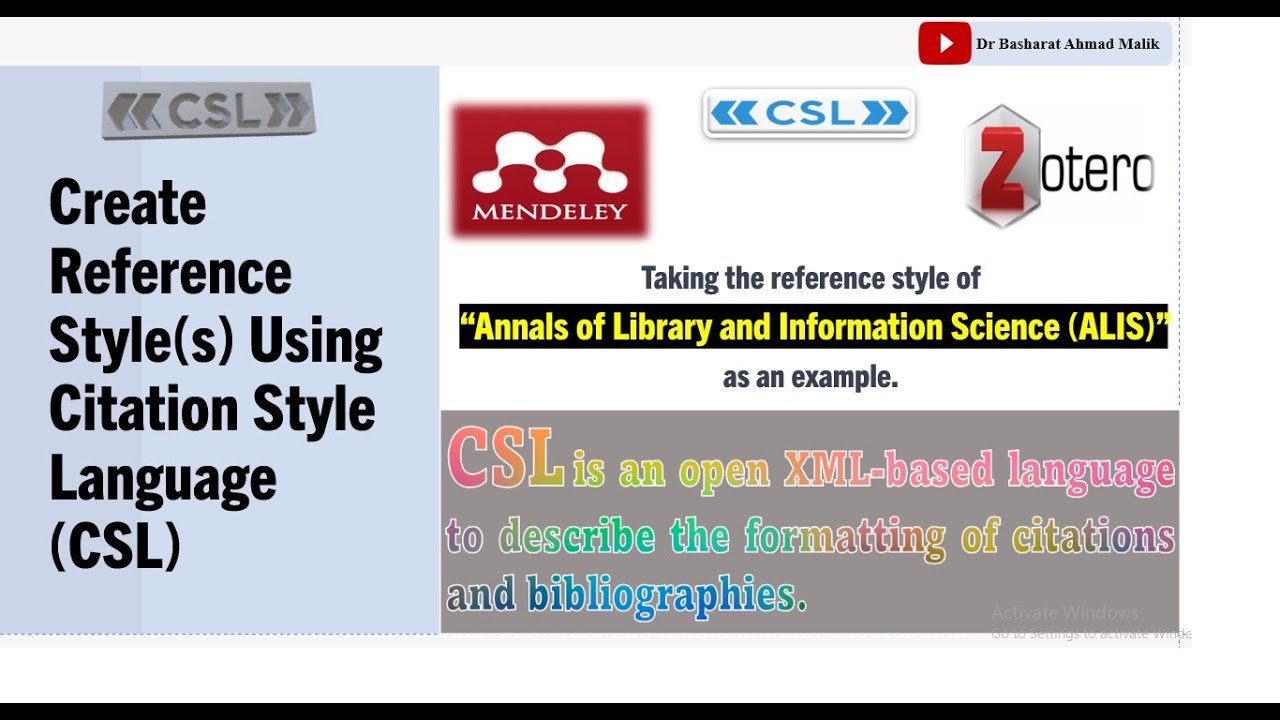
How to create citation style using the Citation Style Language, and install in Mendeley, and Zotero.

Автор: Dr Basharat Ahmad Malik

Загружено: 2023-10-02

Просмотров: 925

Описание:

Create Your Own Citation Style with CSL: Mendeley & Zotero Tutorial

Welcome to my YouTube channel! @DrBasharatMalik In today's tutorial, I'll guide you through the process of creating your very own citation style using the Citation Style Language (CSL) https://editor.citationstyles.org/about/. CSL is a powerful open-source platform that allows you to customize citation styles for various reference management software, such as Mendeley, Zotero, EndNote, and more.
In this video, I'll show you how to create a unique citation style for “Annals of Library and Information Science (ALIS),” https://or.niscpr.res.in/index.php/ALIS a style not found in the CSL repository. You'll learn how to install and use your custom style in both Mendeley Desktop https://www.mendeley.com/guides/desktop/ and Mendeley Reference Manager https://www.mendeley.com/?interaction..., as well as in Zotero https://www.zotero.org/.

Here are the steps we'll cover:

1. Opening the CSL Editor: I'll start by opening the CSL Editor from Mendeley Desktop, guiding you through the process.
2. Creating Your Style: In the CSL Editor, I'll teach you how to create your custom style. I'll fill in essential details like the journal name, title, short form, and ID.
3. Adding Contributors: You'll learn how to add contributors and their details to your style.
4. Selecting Citation Format: I'll help you choose the appropriate citation format, such as 'numeric,' and configure global formatting options.
5. Configuring Citations and Bibliography: I'll guide you through setting up inline citations and the bibliography section according to your style requirements, ensuring proper formatting and element order.
6. Saving Your Style: Once your style is configured, I'll show you how to save it for future use.
7. Using Your Style: You can now use your custom style in Mendeley Desktop and Mendeley Reference Manager for citing references in your documents.
8. Zotero Integration: For Zotero users, I'll explain how to save your CSL style file, add it to Zotero's preferences, and select it when citing references in your Word documents.

By the end of this tutorial, you'll be able to create, install, and utilize your custom citation style seamlessly in Mendeley and Zotero. I hope you find this video helpful and informative. If you do, please consider sharing and liking it to help others discover this valuable resource.

Subscribe to my channel for more educational content, and don't forget to hit the notification bell to stay updated with our latest tutorials. Thank you for watching!
How to create citation style using the Citation Style Language, and install in Mendeley, and Zotero.

Поделиться в:

Доступные форматы для скачивания:

Скачать видео mp4

  • Информация по загрузке:

Скачать аудио mp3

Похожие видео

How to Translate PDF Research Documents to Different Languages in Zotero?

How to Translate PDF Research Documents to Different Languages in Zotero?

Как использовать EndNote (полное руководство для начинающих)

Как использовать EndNote (полное руководство для начинающих)

Как начать вайб-кодить с ИИ: 6 принципов, которые заменят дорогие курсы

Как начать вайб-кодить с ИИ: 6 принципов, которые заменят дорогие курсы

Самый короткий тест на интеллект Задача Массачусетского профессора

Самый короткий тест на интеллект Задача Массачусетского профессора

Как использовать Zotero (полное руководство для начинающих)

Как использовать Zotero (полное руководство для начинающих)

Part-4 | pyBibx: Merge Scopus & WoS | RPYS, Evolution Graphs, NLP Text Analysis & More!

Part-4 | pyBibx: Merge Scopus & WoS | RPYS, Evolution Graphs, NLP Text Analysis & More!

Zotero: Как использовать для цитирования и ссылок (Полное руководство для начинающих)

Zotero: Как использовать для цитирования и ссылок (Полное руководство для начинающих)

Самая быстрая передача файлов МЕЖДУ ВСЕМИ ТИПАМИ УСТРОЙСТВ 🚀

Самая быстрая передача файлов МЕЖДУ ВСЕМИ ТИПАМИ УСТРОЙСТВ 🚀

Самый быстрый способ сделать обзор литературы с помощью ИИ

Самый быстрый способ сделать обзор литературы с помощью ИИ

Part-1 | Biblium: A Python-Based GUI Tool for Bibliometric/Scientometric Analysis.

Part-1 | Biblium: A Python-Based GUI Tool for Bibliometric/Scientometric Analysis.

Для Чего РЕАЛЬНО Нужен был ГОРБ Boeing 747?

Для Чего РЕАЛЬНО Нужен был ГОРБ Boeing 747?

Как написать обзор литературы (без стресса!)

Как написать обзор литературы (без стресса!)

Как быстро и эффективно прочитать статью | Простая техника чтения исследовательского текста

Как быстро и эффективно прочитать статью | Простая техника чтения исследовательского текста

Визуализация гравитации

Визуализация гравитации

LLM и GPT - как работают большие языковые модели? Визуальное введение в трансформеры

LLM и GPT - как работают большие языковые модели? Визуальное введение в трансформеры

Как я нахожу пробелы в исследованиях менее чем за 5 минут (пошаговое руководство и стратегии)

Как я нахожу пробелы в исследованиях менее чем за 5 минут (пошаговое руководство и стратегии)

Краткое объяснение больших языковых моделей

Краткое объяснение больших языковых моделей

Obsidian для начинающих: начните ЗДЕСЬ — Как использовать приложение Obsidian для заметок

Obsidian для начинающих: начните ЗДЕСЬ — Как использовать приложение Obsidian для заметок

Создаю AI-бизнес на инструментах Google: 6 сервисов, которые работают как фабрика!

Создаю AI-бизнес на инструментах Google: 6 сервисов, которые работают как фабрика!

Как удалить следы SUNO.AI (МАСТЕР SUNO)

Как удалить следы SUNO.AI (МАСТЕР SUNO)

© 2025 dtub. Все права защищены.


  • Контакты
  • О нас
  • Политика конфиденциальности


Контакты для правообладателей: infodtube@gmail.com