Популярное

Музыка Кино и Анимация Автомобили Животные Спорт Путешествия Игры Юмор

Интересные видео

2025 Сериалы Трейлеры Новости Как сделать Видеоуроки Diy своими руками

Топ запросов

смотреть а4 schoolboy runaway турецкий сериал смотреть мультфильмы эдисон
dTub
Скачать

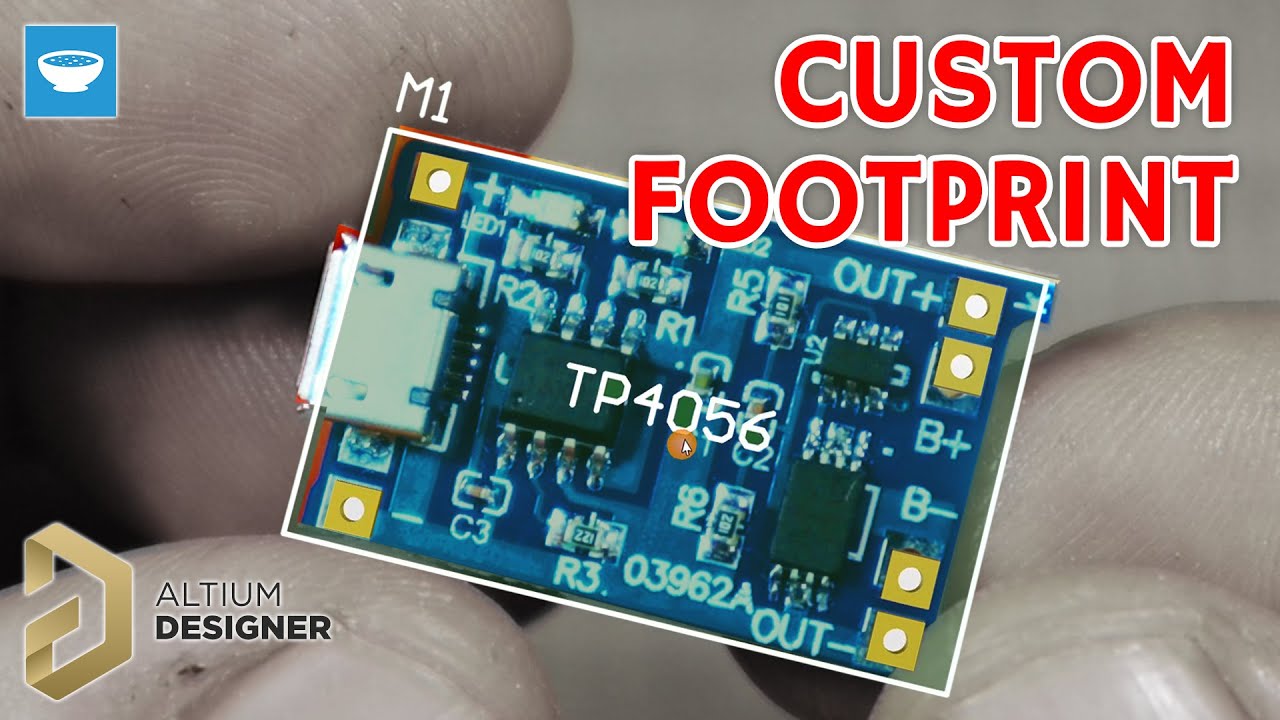
How to make a footprint for a TP4056 module in Altium Designer

Автор: Taste The Code

Загружено: 2022-09-01

Просмотров: 4032

Описание:

When designing prototype PCBs with Altium (https://www.altium.com/yt/taste_the_code) it is often easier if a certain circuit can be directly used as a module, instead of recreating the entire circuit from scratch.

For an upcoming video, I want to make a general purpose project PCB that will be battery powered so I need a way how to safely charge and use a lithium battery and the TP4056 module is perfect for that.

In order for the module to be neatly placed on the project PCB, I had to create the schematic symbol, as well as the PCB footprint for it and in this video, I'm guiding you through the process of doing that.

After watching the video, you will know how you can create such schematic symbols for any module or part and you will also know the basics of how to create custom footprints for any module or component inside Altium Designer.

You can get your free Altium Designer trial and 25% discount on any license on the link below:
https://www.altium.com/yt/taste_the_code

The full project along with the footprint can be downloaded from my website:
https://www.tastethecode.com/designin...

Useful modules and tools for making electronics projects:
TP4056 Battery charging and protection - https://s.click.aliexpress.com/e/_DkO...
Power bank module - https://s.click.aliexpress.com/e/_Dmx...
3 USBs boost module - https://s.click.aliexpress.com/e/_Dns...
18650 batteries - https://s.click.aliexpress.com/e/_Dml...
18650 1S BMS - https://s.click.aliexpress.com/e/_De5...
18650 UPS 5V/12V - https://s.click.aliexpress.com/e/_DlD...
DC to DC boost converter - https://s.click.aliexpress.com/e/_DDF...
Soldering kit - https://s.click.aliexpress.com/e/_De5...
Multimeter - https://s.click.aliexpress.com/e/_DeP...

Support my work on Patreon so I can continue producing free content and tutorials!
  / taste_the_code  


My recording gear:
Canon M50 Mark ii - https://s.click.aliexpress.com/e/_ALp9Sp
GT10 Pro 5G Android Phone - https://s.click.aliexpress.com/e/_oDn...
Dragon Touch 4K Action Camera - https://s.click.aliexpress.com/e/_mrc...
USB Condenser Microphone - https://s.click.aliexpress.com/e/_mq5...
Tripod - https://s.click.aliexpress.com/e/_ooa...
Phone tripod mount - https://s.click.aliexpress.com/e/_s9WaiJ


How to make a footprint for a TP4056 module in Altium Designer
#footprint #symbol #altium #component #pcb #tastethecode


Main Site and blog: https://www.tastethecode.com
Facebook:   / tastethecode  
Instagram:   / taste_the_code  
Twitter:   / taste_the_code  


Get exclusive Taste The Code t-shirts and merch at
https://teespring.com/taste-the-code


Design great PCBs with Altium designer and get great discount!
http://aklam.io/vb3uTw


Click on the link below to get two months of free premium access to Skillshare and start learning today!
https://skl.sh/37LnRua


Get $50 off your order on hosting for all of your website needs and learning projects on Dreamhost!
https://www.dreamhost.com/r.cgi?24057...
How to make a footprint for a TP4056 module in Altium Designer

Поделиться в:

Доступные форматы для скачивания:

Скачать видео mp4

  • Информация по загрузке:

Скачать аудио mp3

Похожие видео

How to design a NodeMCU project board with Altium Designer

How to design a NodeMCU project board with Altium Designer

Управление реле LoRaWAN класса C в реальном времени с помощью ESP LoRa 32 (полная сборка и демонс...

Управление реле LoRaWAN класса C в реальном времени с помощью ESP LoRa 32 (полная сборка и демонс...

Учебные пособия по Altium Designer 20 — как создать посадочное место на печатной плате

Учебные пособия по Altium Designer 20 — как создать посадочное место на печатной плате

Как создать собственный анализатор сигнала LoRaWAN

Как создать собственный анализатор сигнала LoRaWAN

18650 Battery Charger - TP4056

18650 Battery Charger - TP4056

Как я металлизировал отверстия в печатных платах

Как я металлизировал отверстия в печатных платах

Как использовать макетную плату

Как использовать макетную плату

Design and Assemble PCBs at Home! TP4056 Design Guide

Design and Assemble PCBs at Home! TP4056 Design Guide

(Sponsored) Symbol and Footprint Creation | Altium Designer - Phil's Lab #31

(Sponsored) Symbol and Footprint Creation | Altium Designer - Phil's Lab #31

AmneziaWG: Убийца платных VPN? Полный гайд по настройке. Нейросети без VPN. ChatGPT, Gemini обход

AmneziaWG: Убийца платных VPN? Полный гайд по настройке. Нейросети без VPN. ChatGPT, Gemini обход

Краткое руководство по Altium Designer от Фила Салмони из лаборатории Фила

Краткое руководство по Altium Designer от Фила Салмони из лаборатории Фила

Don't Throw Away Your Broken Laptop Charger! The Secrets Behind Your Charger You Need to Know

Don't Throw Away Your Broken Laptop Charger! The Secrets Behind Your Charger You Need to Know

TRMNL: интеллектуальный дисплей с открытым исходным кодом, который вы можете собрать самостоятельно

TRMNL: интеллектуальный дисплей с открытым исходным кодом, который вы можете собрать самостоятельно

Разработка оборудования на базе микроконтроллера с помощью Altium Designer — USB C №3

Разработка оборудования на базе микроконтроллера с помощью Altium Designer — USB C №3

Создайте интеллектуальную систему доступа с помощью ESP32! — Обзор набора EEmentor

Создайте интеллектуальную систему доступа с помощью ESP32! — Обзор набора EEmentor

Как я с нуля сделал ноутбук на базе C64 — Portable 64 (эмуляция)

Как я с нуля сделал ноутбук на базе C64 — Portable 64 (эмуляция)

Ваша первая печатная плата с Altium Designer — руководство для начинающих

Ваша первая печатная плата с Altium Designer — руководство для начинающих

Где начало СХЕМЫ? Понимаем, читаем, изучаем схемы. Понятное объяснение!

Где начало СХЕМЫ? Понимаем, читаем, изучаем схемы. Понятное объяснение!

DIY LiPo Upgrade from NiCad: KiCad Circuit Redesign using a TP4056.  Part 2: Making the PCB

DIY LiPo Upgrade from NiCad: KiCad Circuit Redesign using a TP4056. Part 2: Making the PCB

Руководство по ESP32 2024 | Выбор и использование платы ESP32

Руководство по ESP32 2024 | Выбор и использование платы ESP32

© 2025 dtub. Все права защищены.


  • Контакты
  • О нас
  • Политика конфиденциальности


Контакты для правообладателей: infodtube@gmail.com