Access Modules 1-4 SAM Capstone Project 1a Midwest Executive Professionals
Автор: Excel Assignment Help
Загружено: 2024-11-27
Просмотров: 29
If you directly want to get the project from us then contact us on Whatsapp. Click on link below👇👇
https://wa.me/message/PPXGSJS2TLWUA1
Whatsapp Contact Number:
+91 8114420233
Email ID:
excelprojectshelp@gmail.com
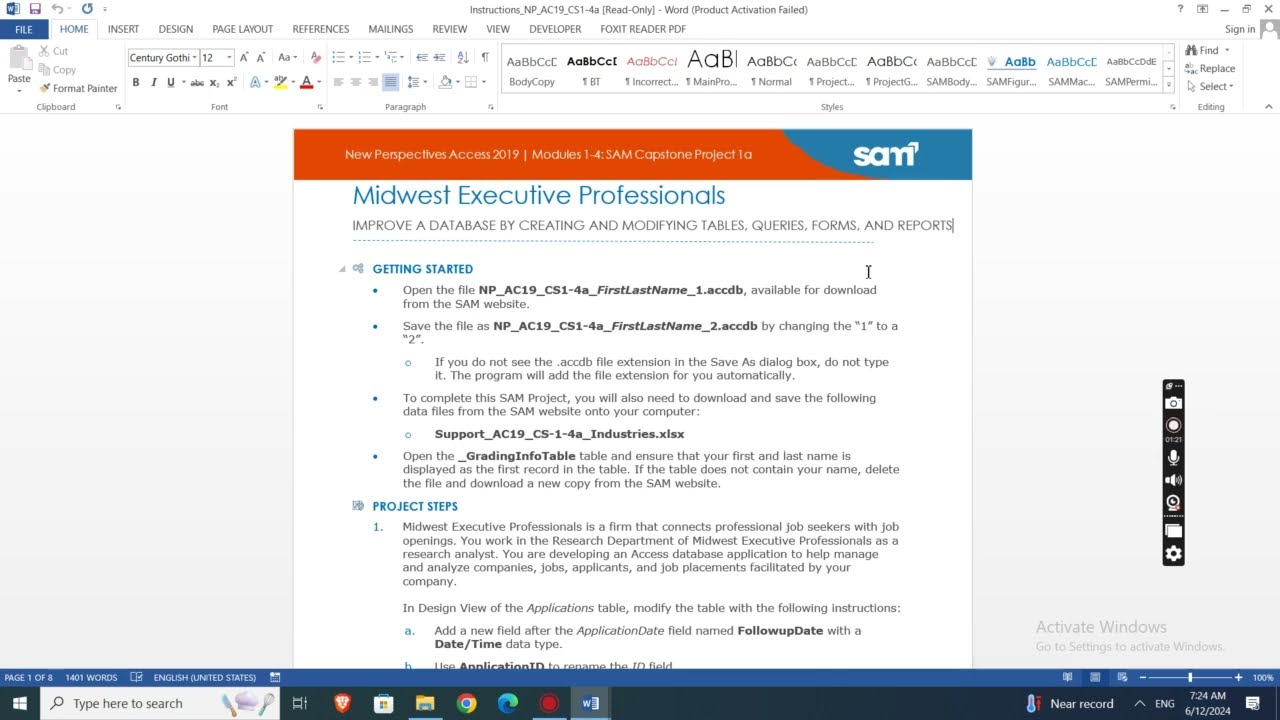
PROJECT STEPS
1. Midwest Executive Professionals is a firm that connects professional job seekers with job openings. You work in the Research Department of Midwest Executive Professionals as a research analyst. You are developing an Access database application to help manage and analyze companies, jobs, applicants, and job placements facilitated by your company.
In Design View of the Applications table, modify the table with the following instructions:
a. Add a new field after the ApplicationDate field named FollowupDate with a Date/Time data type.
b. Use ApplicationID to rename the ID field.
Save and close the Applications table.
2. In Datasheet View of the JobSeekers table, complete the following instructions:
a. Delete the record for Richard Marlay (JobSeekerID 14).
b. Edit John to be Jonathan for JobSeekerID 10.
c. Enter a new record into the table using the information in Table 1.
Close the JobSeekers table.
Table 1: New Record for JobSeekers Table
JobSeekerID (AutoNumber will automatically number this field)
FirstName Leonardo
LastName Eagan
Phone 5551118887
3. In the Navigation Pane, make Industries the new name for the Categories table.
4. Use the import wizard to append the records from the Support_AC19_CS-1-4a_Industries.xlsx to the Industries table. Do not save the import steps. (Hint: If a warning message appears, Click Open.)
5. Create a new table in Table Design View with the following specifications:
a. Enter Employees as the name of the new table.
b. Add a new field named EmployeeID with the Number data type. Set it as the Primary key field.
c. Add two new fields named EmployeeFirst and EmployeeLast in the order shown. They should have the Short Text data type and field size properties of 20.
d. Add a new field named Email with the Hyperlink data type. Set the Required property to Yes.
e. Add a new field named Salary with the Currency data type. Set the Default Value property to 45000.
f. Add a new field named Extension with the Short Text data type. Update the Input Mask property using the Input Mask Wizard. Select the Extension input mask and update the field to 9999, so that 9999;;_ is the final input. Accept the default in the last window.
Save the table and then close it.
6. In Datasheet View of the JobSeekers table, complete the following options:
a. Delete the Comments field. (Hint: It currently does not have any data.)
b. Move the Phone field to be the last field in the datasheet.
c. Sort the records in ascending order by LastName.
Save and close the JobSeekers table.
7. Create a new query in Design View using the Companies and Jobs tables with the following options:
a. Select the CompanyName and Industry fields from the Companies table and the JobTitle and StartingSalary fields from the Jobs table.
b. Join the tables using the CompanyID field from the Companies table and the Company field from the Jobs table.
c. Save the query, using HighSalaries as the name.
8. With the HighSalaries query still open in Design View, add criteria to select only those records where the StartingSalary is greater than or equal to 50000, save the query, switch to Datasheet View as shown in Figure 1, and then close it.
Figure 1: HighSalaries Query in Datasheet View
9. Use the Simple Query Wizard to create a new query with the following options:
a. Use the JobSeekers and Applications tables.
b. Select all four fields from the JobSeekers table and the ApplicationDate field from the Applications table.
c. Create a detail query.
d. Use ApplicationDates as the title for the query.
Save and close the query.
10. In Design View of the ApplicationListing query, modify the query with the following options:
a. Add criteria to select all records with Administrative Assistant or User Support Director as the JobTitle.
b. Sort the records in ascending order by LastName, and then by FirstName.
Run the query to display it in Datasheet View as shown in Figure 2, and then save and close it.
#capstoneassignment #samprojects #cengageassignments #NP_CS1-4a #NP_ACCESS #access_assignments #access_sam_projects #midwest_executive_professionals #new_perspectives_access #NP_CS1-4a_FirstLastName_1.accdb #NP_CS1-4a_FirstLastName_2.accdb
Доступные форматы для скачивания:
Скачать видео mp4
-
Информация по загрузке:





