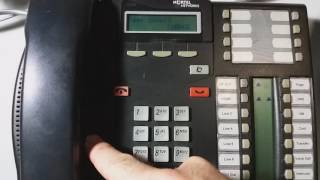
Change time on Nortel phone
Автор: The Nortel Guy
Загружено: 2016-11-03
Просмотров: 51218
Nortel Norstar, (aka: Sprint, Bell South, SNET). How to change the time in the system so it shows correctly on all the phones. Wrong time on Norstar phones is very common.
If you have a large installation (more than 200 phones), you may have a Nortel Meridian PBX. Plus, the phones will look a little different than they do in this video.
The instructions for changing time/date on a Meridian PBX are here:
• Changing time on Nortel PBX CS1000
Unfortunately, the Nortstar product line (prior to the release of the BCM) had no accommodation for Daylight's saving time. So, two times a year, the admin for these phone system has to login to the Norstar and set the time.
This is normally done with Features "star' "star" 266344, and the password is 266344.
On some system you can get away with Feature Star Star T-I-M-E. The password for that is either 266344 or 23646 (admin).

Доступные форматы для скачивания:
Скачать видео mp4
-
Информация по загрузке: