Fusion 3D Cam Surfacing settings you HAVE to know!
Автор: DSI-MFG
Загружено: 2025-06-09
Просмотров: 327
For the full video and exclusive content join us on the Digitial Manufacturing Collective
http://dsi-dmc.com
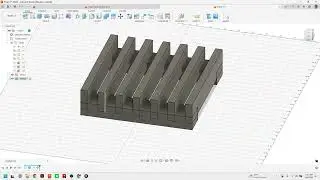
This Fusion 360 tutorial demonstrates essential 3D toolpath settings. It covers using "Contact Point Boundary" for better surface finishes, managing "Additional Offset" to avoid messy toolpaths, and adjusting tolerance values for cleaner results. The video also shows how to limit toolpath depth using the "Heights" page and compares standard and multi-axis clearing strategies, highlighting a faster, more efficient multi-axis approach. Finally, it presents an alternative roughing technique using surface offset for situations where multi-axis isn't available.
00:00:09 Learn essential 3D toolpath settings in Fusion 360.
00:02:18 Discover the "Contact Point Boundary" setting for improved surface finish.
00:03:59 Understand "Additional Offset" and its impact on toolpath generation.
00:04:47 Explore mesh tessellation and its relation to toolpath accuracy.
00:05:38 Learn how to adjust tolerance values for cleaner toolpaths.
00:07:05 Discover how to limit toolpath depth using the "Heights" page.
00:08:42 See a comparison of standard and multi-axis clearing strategies.
00:09:24 Access the preview features for multi-axis clearing.
00:14:49 Learn an alternative roughing strategy using surface offset.
https://DSI-MFG.com
https://tool-converter.com/
https://toolpath.com/
#FusionCAM #ToolpathSmoothing #DataStarvation #CNCOptimization #fusionwhatsnew #MachineEfficiency #DSIMFG

Доступные форматы для скачивания:
Скачать видео mp4
-
Информация по загрузке: