** 2025 NEW ** iScaf® 11 - Product LAUNCH APRIL 2025 iScaf® Plan and 3D Scaffold Design
Автор: Scaffolding Software
Загружено: 2025-04-14
Просмотров: 1117
iScaf® 2025 - Quick update video #scaffoldingsafety #scaffoldingsolutions
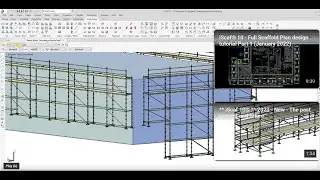
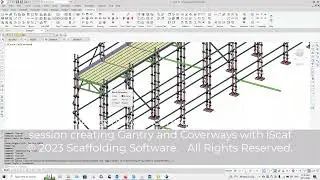
iScaf® can handle 30 other systems besides frame and brace. Our Ringlock, Layher, AtPAC, Kwikstage and Cuplock modules are most popular.
visit : www.scaffoldingsoftware.com also the makers of iRent® and iQuote®
Here are some New Features of iScaf® 11.
Additional information to come for example : Gizmo and Frame Scaffold detail
The Scaffold world is so excited to hear that iScaf® eleven is now available. Here are some examples of the new features in iScaf eleven.
Let us look at the newly updated AREA FILL command. We can go to the ribbon menu, click build, and then AREA FILL . There are so many features in here and one of them is a quick bird cage or dance floor option called “select area”. Create the rectangular window and the dance floor or bird cage is created instantaneously.
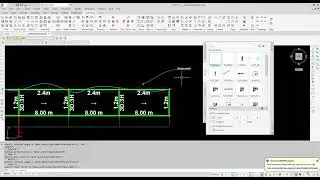
Next we have the Quick Measure tool also easily accessible from the iScaf ribbon menu. Click on Quick measure, and all you need to do is move your mouse around your drawing and dimensions and angles pop up automatically . This works on your perimeter drawing. And also as you can see here, it works with the your full scaffold plan design as well.
Next. iScaf also allows you to insert items one at a time if you need to. Make use of the new iBeam and iBlock features . As you can see from the menu, there are many components to select from.
In addition, directly on the iScaf ribbon menu, there is the transom, tube, and ledger menu options. In this example, we can select ledger and insert via a start and finish point. Select the size based on the components available, heavy duty or light duty, and the ledger is inserted.
Next. Moving right along here we have the iScaf bay count feature. This allows iScaf to quickly count all your bays with all the different sizes in your plan design drawing. This is available in Utilities and DISPLAY BAY COUNT menu option as shown here.
iScaf now has the functionality to perform some engineering modelling. With the iScaf 3D model, select the Engineering (iEng) option from the Build menu and then select Hide iScaf SHOW ENGINEERING LAYERS and this will allow iScaf to show the engineering components with all the connection points. This wireframe drawing can be exported so that your engineer can use external engineering software such as SpaceGAS or SCIA engineering for further analysis.
Before we finish, let us quickly show you this 3D model of our updated US style frame module using all imperial measurements.
We hope you enjoyed this quick tour of some of the features of iScaf Eleven and there will be more to show in future videos. Please contact us at W W W scaffolding software dot com for more information .

Доступные форматы для скачивания:
Скачать видео mp4
-
Информация по загрузке: