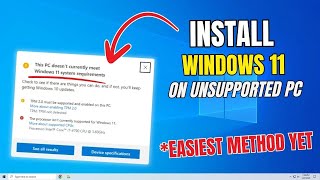
Upgrade to Windows 11 on Unsupported Devices — Safe & Easy Method No TPM, No Secure Boot!
Автор: Tech With Shagar
Загружено: 2025-10-19
Просмотров: 277
Want to install or upgrade to Windows 11 but your PC says it’s not supported?
In this video, I’ll show you the easiest and safest way to install or upgrade Windows 11 — even on old or unsupported hardware.
✅ Works without TPM 2.0 or Secure Boot
✅ No USB required (but USB method also shown)
✅ Keep your files and apps safe
✅ Step-by-step guide for beginners
⚙️ What you’ll learn:
How to bypass Windows 11 hardware checks
How to upgrade directly from Windows 10
How to create a bootable USB (optional)
Tips to make Windows 11 faster on older PCs
📥 Tools and links mentioned in the video are below (official sources only).
windows iso: https://www.microsoft.com/en-us/softw...
rufus: https://rufus.ie/en/
commands:
cd sources
.\setupprep.ext /product server
💬 Have questions? Drop them in the comments — I reply to all!
00:00 Intro
00:25 Downloading Windows ISO
01:00 Trying install out of the box
01:40 Bypass option 1 without usb
02:18 Bypass option 2 with usb
03:10 The End
#Windows11 #WindowsUpgrade #TechGuide #OldPC #WindowsInstall #UnsupportedHardware

Доступные форматы для скачивания:
Скачать видео mp4
-
Информация по загрузке: