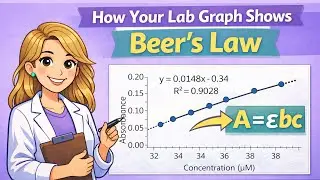
Excel Basics for Chemistry Students | Formulas & Drag Function
Автор: Biochem Brooke
Загружено: 2026-01-07
Просмотров: 59
Excel is a must-know skill for chemistry students.
This beginner-friendly tutorial covers the core Excel basics you need to succeed in chemistry courses, labs, and data analysis - before things get complicated.
In this video, I walk step-by-step through how to create formulas in Excel, plug in x-values, and use common mathematical functions that appear throughout General Chemistry, Physical Chemistry, and Biochemistry. I also explain how to lock constants using absolute references ($) and how to drag formulas vertically and horizontally to quickly apply calculations without repeating work.
00:00 Why Excel Matters for Chemistry
00:33 Ln(x) in Excel
01:00 Continuing Formulas Vertically
01:37 Polynomial Functions in Excel
03:10 Exponential Functions in Excel
04:30 Holding Constants with $
05:42 Square Root Functions in Excel
07:20 Calculating Averages in Excel
07:50 Continuing Formulas Horizontally
If you’ve ever felt overwhelmed by chemistry calculations, this video will help you work smarter, save time, and reduce errors.
📘 What you’ll learn in this video:
How to plug x-values into common Excel functions used in chemistry, including ln(x), polynomial expressions (x² + 4x − 6), exponential functions such as e^(−x/RT), and square root functions
How to calculate averages
How to use absolute references ($) to hold constant values
How to drag formulas down columns and across rows efficiently
These are foundational Excel skills every chemistry student needs, whether you’re doing homework, lab calculations, or prepping for more advanced data analysis.
📌 Ideal for Gen Chem, P-Chem, Biochem, lab courses, and STEM students
#BiochemBrooke #ExcelForChemistry #ChemistryStudents #GeneralChemistry #ExcelBasics #ChemistryHelp #ChemTutoring #STEMStudents #ExcelFunctions #ChemistryTutorial #StudySmarter #ScienceStudents #PChem #Biochemistry #CollegeChemistry

Доступные форматы для скачивания:
Скачать видео mp4
-
Информация по загрузке: