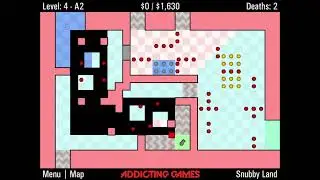
The World's Hardest Game 3 any% glitched in
Автор: Fraims
Загружено: 2024-02-23
Просмотров: 722
This is a post-commentary of my whg3 glitched speedrun. You can watch the video without commentary here: • The World's Hardest Game 3 any% glitched i...
If you don't like glitches, go watch the glitchless world record by raflikk: • [FWR] The World's Hardest Game 3 in 29:04
Click here to join the WHG discord: / discord
And here's the alternate B3 route I referred to in the video: • whg3 5-C3 reroute for any% glitched
I was able to record the audio a lot better than before, but that doesn’t stop me from occasionally being unable to produce sound with my mouth, so naturally I still included subtitles.
Making the commentary for this run in the same style as the commentary for my whg4 run was much harder to figure out, due to different pacing. Two major glitches occur right at the start, giving me barely any time to go in detail about level skip, arguably the most important glitch to explain well. I decided to just put a simplified version in the commentary, and put a more detailed one in the description. I did the same thing for how coins are saved, I barely had any time for that part as well.
Both of these explanations were originally given to me by Danicker, so credit to him. They’re also the only explanations he gave me because I never asked for any others. I’ve rephrased them a little bit in the hopes of making it clearer.
Level skip
There is a variable called 'inMainGame' which is true when you're in a room playing the game but false during tip screens. This variable has a local version and also a version stored on the save data. That way when you load a save file the game knows whether to load you into a room or into a tip screen. When you touch the finish checkpoint in a level, the save data is updated so that its inMainGame parameter is false, but the local inMainGame is still true until the tip screen actually loads. Then once it loads, the local level variable is updated to the next level, but the save data is not changed. (e.g. if you just finished level 1, the save data would say level 1, but the game registers your level as level 2.) When you load a save file (by going to the continue checkpoint) that has the inMainGame variable set to true, it will take you to the level/room you were up to. But if inMainGame is false, it will assume you just finished the level, so it will take you to the tip screen before the next level (e.g. if level is 1 and inMainGame is false, it will take you to the tip screen just before level 2). So here's where the savewarp comes in, usually the game doesn't update the save file during a tip screen, but if you open the menu and toggle autosaving this will update the save file, including the level number. So e.g. if you have just finished level 1, the save data will say level 1, but the actual level is 2. When you toggle autosaving it will update the save data so that it says level 2. Now when you return to the main menu and load this save file the game reads that the level is 2 and inMainGame is false, so it thinks you have just finished level 2.
In short: If you go to a tip screen, the level number will update, but it won’t be saved yet. However, if you perform a savewarp, it will save. If you then go to the main menu and continue, the game will see you’re in a tip screen, but also that the level number has updated, which tricks it into thinking you’re at the next tip screen.
Saving coins
When you toggle autosaving, it does actually save the coins and/or keys you have just collected. But, there are also internal variables keeping track of the items you have just picked up so that if you die, it knows which items to respawn. When you load the save file, it sees that you have collected those coins, but it still respawns them because the local code says that they have only temporarily been collected. But, the 'temporariness' of the coins is not stored in the save data, it's stored locally, which means that it’s cleared from memory when you close the game. This means that if you collect some coins, toggle autosaving, and then close the game, all the coins will still be collected once you reopen the game and go to continue.
0:00 savewarp, level skip
1:11 main menu- and invincibility storage
3:18 routing, gameplay, keyclip
6:56 closing the game, savedata
8:45 ending, outro

Доступные форматы для скачивания:
Скачать видео mp4
-
Информация по загрузке: