Популярное

Музыка Кино и Анимация Автомобили Животные Спорт Путешествия Игры Юмор

Интересные видео

2025 Сериалы Трейлеры Новости Как сделать Видеоуроки Diy своими руками

Топ запросов

смотреть а4 schoolboy runaway турецкий сериал смотреть мультфильмы эдисон
dTub
Скачать

6 methods to Remove ANY Color Cast FAST & EASY In Affinity Photo

Автор: GraphicalFinity 1.7M

Загружено: 2021-08-27

Просмотров: 11082

Описание:

As promised, here is a tutorial on how to REMOVE color cast from a Photo. I will not present 1 but 6 methods (i lost the count at 6, could be more 🤣) on how this can be achieved.

In this video, I will also give a quick explanation how the LAB curves mode works while removing the COLOR cast.

I hope you like this video and thanks again for watching.

Please don't forget to hit the SUBSCRIBE and like button if you liked this video.

6 methods to Remove ANY Color Cast FAST & EASY In Affinity Photo

Поделиться в:

Доступные форматы для скачивания:

Скачать видео mp4

  • Информация по загрузке:

Скачать аудио mp3

Похожие видео

How to Create an exceptional LOW KEY Portrait Photo in Affinity Photo using a very EASY method

How to Create an exceptional LOW KEY Portrait Photo in Affinity Photo using a very EASY method

AFFINITY PHOTO : BEST WAY TO REMOVE EXTREME COLOR CAST

AFFINITY PHOTO : BEST WAY TO REMOVE EXTREME COLOR CAST

The PIXEL Mask - Affinity Basics: Masks - Must know information for beginners

The PIXEL Mask - Affinity Basics: Masks - Must know information for beginners

AFFINITY PHOTO: СОЗДАЙТЕ ИДЕАЛЬНЫЕ ВЫДЕЛЕНИЯ ПРЯДЕЙ С ПОМОЩЬЮ КАНАЛОВ И ИНСТРУМЕНТА ВЫБОРА ЦВЕТА

AFFINITY PHOTO: СОЗДАЙТЕ ИДЕАЛЬНЫЕ ВЫДЕЛЕНИЯ ПРЯДЕЙ С ПОМОЩЬЮ КАНАЛОВ И ИНСТРУМЕНТА ВЫБОРА ЦВЕТА

Curves 101 — Учебное пособие для Affinity Photo, дизайнеров и издателей

Curves 101 — Учебное пособие для Affinity Photo, дизайнеров и издателей

9 AWESOME Affinity Photo Tips, Tricks, and Hacks (That You Probably DON'T Know or use)

9 AWESOME Affinity Photo Tips, Tricks, and Hacks (That You Probably DON'T Know or use)

Affinity Photo RAZOR Sharpness in a quick an easy way with the power of the vivid light blend mode

Affinity Photo RAZOR Sharpness in a quick an easy way with the power of the vivid light blend mode

Powerful FIX for overexposed Photos - Affinity Photo Tutorial

Powerful FIX for overexposed Photos - Affinity Photo Tutorial

Смешивание экспозиции в Affinity Photo

Смешивание экспозиции в Affinity Photo

Unlocking Affinity's Most Underrated Filter: Voronoi - Let's change that

Unlocking Affinity's Most Underrated Filter: Voronoi - Let's change that

AFFINITY PHOTO 2: ПОЛУЧИТЕ ТОЧНЫЕ СТРИЖКИ ВОЛОС С ПОМОЩЬЮ КОМПАУНД-МАСКИ И ЖИВОЙ МАСКИ LUMINOSITY...

AFFINITY PHOTO 2: ПОЛУЧИТЕ ТОЧНЫЕ СТРИЖКИ ВОЛОС С ПОМОЩЬЮ КОМПАУНД-МАСКИ И ЖИВОЙ МАСКИ LUMINOSITY...

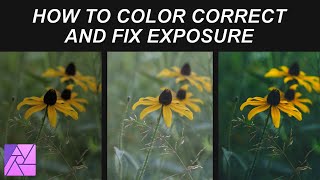
How To Color Correct And Fix Exposure - Affinity Photo Tutorial

How To Color Correct And Fix Exposure - Affinity Photo Tutorial

Get perfect skin tones in Affinity Photo with this tool!

Get perfect skin tones in Affinity Photo with this tool!

5 скрытых инструментов в Affinity от Canva, которые вы не используете (но стоит!)

5 скрытых инструментов в Affinity от Canva, которые вы не используете (но стоит!)

STOP Ruining Black and Whites!

STOP Ruining Black and Whites!

5 простых советов по цветокоррекции в Affinity Photo

5 простых советов по цветокоррекции в Affinity Photo

Sharpen 5  Ways with Affinity Photo + Free Macro

Sharpen 5 Ways with Affinity Photo + Free Macro

Affinity Photo NEUTRALIZE unwanted COLOR CAST quick and easy using the Opposite Color Method

Affinity Photo NEUTRALIZE unwanted COLOR CAST quick and easy using the Opposite Color Method

Любовь к архитектурному постобработке! Может ли она заменить Photoshop?

Любовь к архитектурному постобработке! Может ли она заменить Photoshop?

Remove Shadows and Wrinkles from Eyes with Affinity Photo and Frequency Separation

Remove Shadows and Wrinkles from Eyes with Affinity Photo and Frequency Separation

© 2025 dtub. Все права защищены.


  • Контакты
  • О нас
  • Политика конфиденциальности


Контакты для правообладателей: [email protected]