Video Podcast Setup for Guests and Hosts in Two Locations
Автор: Kevin Ross
Загружено: 2020-06-28
Просмотров: 29387
This video podcast setup for guests and hosts in two locations can help you get started with video podcasting with a remote setup. You can record a budget video podcast with two people, and If you’re looking to set up a mix minus with your virtual guest or host, this is the solution I’ve been using for years to record a podcast with multiple people in multiple locations. I break everything down here to help even the beginner podcaster start a video podcast, but do keep in mind that adding video to your podcast does increase your workload.
Where's the Airport (Launching July 3rd)
Are you subscribed yet? http://bit.ly/kevinsubscribe
Intro: 0:00 - 01:06
Software: 01:07 - 01:30
Hardware (minimum): 01:31 - 02:35
Guest/Host Setup: 02:35 - 04:13
Hardware (additional): 04:13 - 04:47
Connections: 04:47 - 05:56
Software Settings: 05:56 - 08:14
Pre-Production trick: 08:15 - 08:45
Video Setup: 08:46 - 10:46
Video Edit BTS: 10:46 - 20:44
Audio Edit BTS: 20:45 - 22:58
Outro: 22:58 - 23:45
Zencastr: https://bit.ly/zencastrpodcast
Davinci Resolve: https://bit.ly/davincieditor
Lightworks: https://bit.ly/lightworksvid
Audacity (Audio): https://bit.ly/audacitypod
EpocCam: https://bit.ly/epoccamvideo
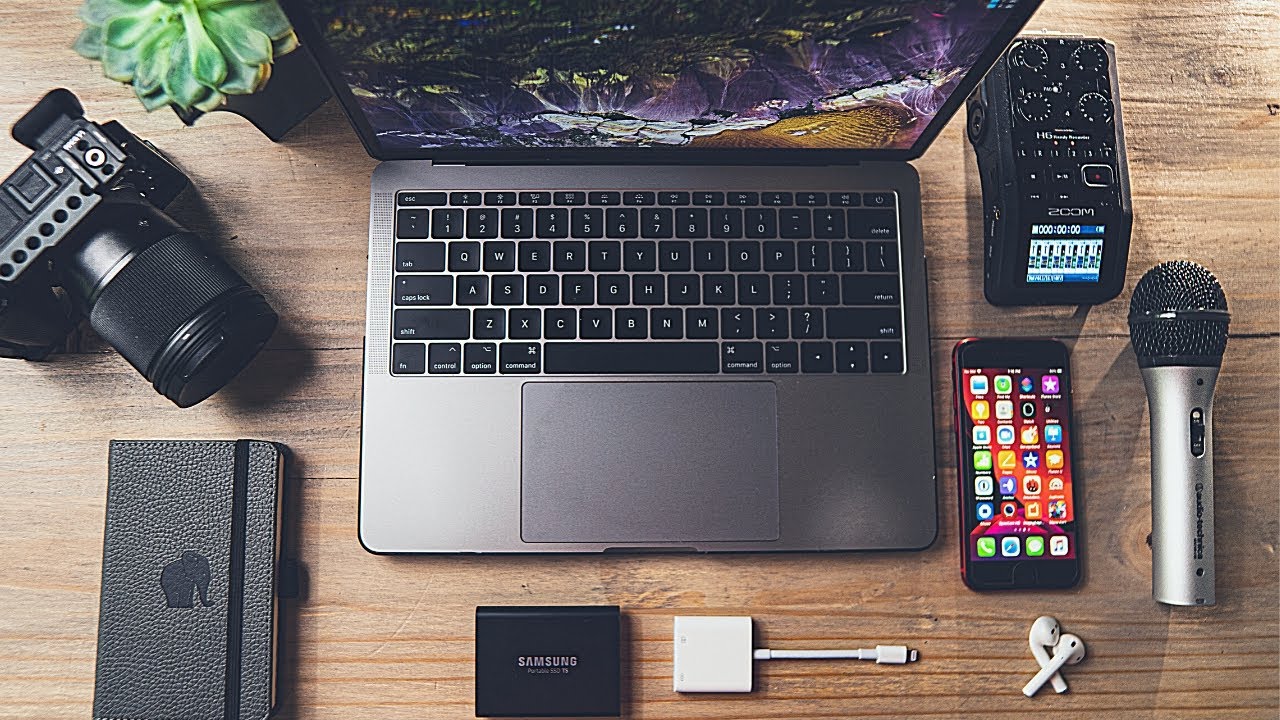
Audio Podcasting equipment:
Handheld Recorder I use: https://geni.us/PBAqZB (Amazon)
Handheld Recorder I also recommend: https://geni.us/FR4t (Amazon)
SD Card for H6: https://geni.us/xC6ZP (Amazon)
SD Card for H5 (32GB max): https://geni.us/w5rSw (Amazon)
Podcast Mic: https://geni.us/yrUB (Amazon)
Alternate Podcast Mic: https://geni.us/qOgzI (Amazon) (US)
Alternate Podcast Mic: https://geni.us/oBOB2Bd (Amazon) (UK)
Boom Stand: https://geni.us/pmvD (Amazon)
Mic, Boom Arm and pop filter combo: https://geni.us/HLmUZ (Amazon)
Studio Headphones I Recommend: https://geni.us/KZR1 (Amazon)
Studio Headphones (more budget friendly): https://geni.us/9TME (Amazon)
Audio Cable 3.5mm to ¼ inch: https://geni.us/rKBRe (Amazon)
Another Audio Cable 3.5mm to 1/4 inch: https://geni.us/m27p (Amazon)
Studio Headphones (budget): https://geni.us/wOOvy (Amazon)
Studio Headphones (higher budget): https://geni.us/LG6BEhW (Amazon)
Headphone Splitter for the Zoom (for multiple local guests): https://geni.us/3HW9O (Amazon)
Pop filter: https://geni.us/CdhEXJD (Amazon)
USB A to Type-C for Mac: https://geni.us/ddAc7 (Amazon)
Video Equipment:
iPhone SE 2: https://geni.us/ubb62 (Amazon)
Lightning to USB Adapter (Official Apple Product): https://geni.us/sfUFZ (Amazon)
Budget Boom arm: https://geni.us/lKM21u7 (Amazon)
Higher Budget Boom arm: https://geni.us/C2gzxX (Amazon)
Manfrotto Tripod: https://geni.us/BedEO (Amazon)
USB Cable: https://geni.us/vEswAdU (Amazon)
Webcam I use: https://geni.us/R12L6 (Amazon)
My Main Filming Setup:
My Primary Camera - https://geni.us/oXC0F (Amazon)
Prime Lens 16mm - https://geni.us/Xbpn (Amazon)
Overhead Microphone:https://bit.ly/DeityS2SMic
Overhead Microphone (Amazon): https://geni.us/8x2d3AB (Amazon)
SanDisk Extreme: https://geni.us/3fAwVGF (Amazon)
Steps for recording with guests and co-hosts in two different locations:
1. Plug XLR female into ATR 2100
2. Plug XLR male into channel 1 of Zoom
3. Plug 3.5mm cable into headphone out of computer
4. Plug ¼ inch TS audio jack into channel 2 of Zoom
5. Make certain you’ve pushed channel 1 and 2 buttons on Zoom until they’re illuminated
6. Plug mini USB cable into ATR 2100
7. Plug the other end of the USB (Type A) into the computer
8. Plug in a pair of headphones on the headphone jack of the Zoom (There’s a volume button next to it to increase/decrease the audio out. Mine is set at about 60)
9. Open up audio settings in computer as well as Zoom
10. In the drop down menus on your computer make certain to toggle down to ATR as the audio source for input and for the output, this will be the headphone out of your computer.
11. Test to make certain that audio levels are going up and down when speaking into the ATR 2100
12. Call your guest or co-host on Zoom. The guest/co-host should be able to hear you through the ATR, and you should be able to hear them via channel 2 on the Zoom. Make sure channel 2 is on.
13. Dial in the levels of the Zoom between -12dB and -6dB. Make certain the levels are not clipping (in the red).
14. Hit the records button when ready
15. When recording is completed, remove the SD for post production. There should be a folder labeled Zoom 00001 (some like this). Open that folder and it will contain additional folders that will have your tracks in there. Each track should be a separate file.
Stay in touch:
https://kevinrossrn.com/
/ kevinrossrn
/ kevinrossrn
Send Mail and Packages to:
Kevin Ross
4845 Pearl E. Cir. STE 101
Boulder, CO 80301
I'm a participant in the Amazon Services LLC Associates Program, an affiliate advertising program designed to provide a means for sites to earn advertising fees by advertising and linking to Amazon.com.
Доступные форматы для скачивания:
Скачать видео mp4
-
Информация по загрузке: