Популярное

Музыка Кино и Анимация Автомобили Животные Спорт Путешествия Игры Юмор

Интересные видео

2025 Сериалы Трейлеры Новости Как сделать Видеоуроки Diy своими руками

Топ запросов

смотреть а4 schoolboy runaway турецкий сериал смотреть мультфильмы эдисон
dTub
Скачать

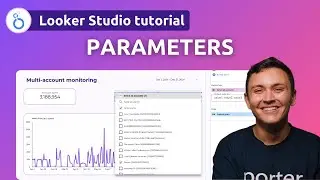
12.10. Creating Dynamic Dimensions with Parameters (Looker Studio Tutorial / Data Studio Training)

Автор: Siavash Kanani (Ahmad)

Загружено: 2023-04-29

Просмотров: 18124

Описание:

🚀 https://lookerstudiomasterclass.com → Enroll in the full version of the program
✨ https://lookerstudio.tips → Get my free Looker Studio Tips via email.

In this lesson, we will explore dynamic dimensions in Looker Studio. Typically, when you create a table or chart, you determine the dimensions and metrics, and the viewer has limited options to modify it. However, parameters allow you to give viewers the ability to change dimensions.

Consider a table that breaks down sessions by source. If you want to enable viewers to change the table from sessions by source to sessions by medium, campaign, or country, you can do that with parameters.

Learning Objectives

1. Understand the concept of dynamic dimensions in Looker Studio and its applications.
2. Learn how to create a dropdown menu using text-based parameters.
3. Utilize the `CASE` function to change the table dimensions based on user selection.
4. Create custom fields to implement dynamic dimensions in tables.
5. Develop techniques to change table titles based on the selected dimension.

Main Concepts and Topics

Dynamic dimensions: Allowing users to change table dimensions using parameters.
Text-based parameters: Used to create a dropdown menu with allowed values.
CASE function: Changes the dimension in the table based on the selected value of the parameter.
Custom fields: Required to create a table breakdown field that uses the `CASE` function.
Changing table titles: Creating an additional table with no header or metric to display the selected dimension as the title.

Creating the Dropdown Menu

Start by creating a dropdown menu using a parameter called *breakdown*. It's a text-based parameter with five different values (by source, by medium, by campaign, by country, and by other dimensions you want to include). Text-based parameters with allowed values can be connected to a dropdown menu.

Using the CASE Function

Next, use the `CASE` function to change the dimension in the table based on the selected value of the parameter. For instance, when the parameter equals "by country," the dimension of the table should be "country." The `CASE` function looks at the value selected by the user and outputs the categories within different dimensions based on that value.

Creating a Custom Field

Create a custom field called table breakdown*. This field does not exist in Google Analytics, so it should be a custom field. The custom field will use the `CASE` function to output the appropriate dimension based on the value of the *breakdown parameter.

*Changing the Table Title*

To change the table title based on the selected dimension, create another table with no header, metric, or row numbers. The table will display the selected dimension as the title.

**Real-Life Example:**

Imagine you are a marketing analyst for an e-commerce website. By using dynamic dimensions, you can create a single table that allows your team to switch between dimensions such as sessions by source, medium, campaign, or country. This enables your team to quickly analyze different aspects of your marketing efforts, improving decision-making and saving time.

12.10. Creating Dynamic Dimensions with Parameters (Looker Studio Tutorial / Data Studio Training)

Поделиться в:

Доступные форматы для скачивания:

Скачать видео mp4

  • Информация по загрузке:

Скачать аудио mp3

Похожие видео

12.11. Creating Dynamic Metrics with Parameters (Looker Studio Tutorial / Data Studio Training)

12.11. Creating Dynamic Metrics with Parameters (Looker Studio Tutorial / Data Studio Training)

Несколько источников данных в Looker Studio — ваше полное руководство 📈

Несколько источников данных в Looker Studio — ваше полное руководство 📈

12.4 Параметры: от создания до визуализации (курс Looker Studio / Учебное пособие по Data Studio)

12.4 Параметры: от создания до визуализации (курс Looker Studio / Учебное пособие по Data Studio)

CHALLENGE 🔥 - SUMIF Function in Looker Studio  | Calculate SUM based on Multiple Conditions / Rules

CHALLENGE 🔥 - SUMIF Function in Looker Studio | Calculate SUM based on Multiple Conditions / Rules

Начните работу с Looker Studio за 15 минут | Учебное пособие по Looker Studio для начинающих (2025)

Начните работу с Looker Studio за 15 минут | Учебное пособие по Looker Studio для начинающих (2025)

Параметры с помощью Google Looker Studio

Параметры с помощью Google Looker Studio

Looker Studio (Previously Google Data Studio)

Looker Studio (Previously Google Data Studio)

Dimension & Metric Controls - Looker Studio Report Interactivity Tutorial

Dimension & Metric Controls - Looker Studio Report Interactivity Tutorial

Breakdown Dimensions, Time Intelligence, and Optional Metrics in Looker Studio -Looker Studio Course

Breakdown Dimensions, Time Intelligence, and Optional Metrics in Looker Studio -Looker Studio Course

Кнопки и элементы управления предустановленными фильтрами — Учебное пособие по Looker Studio

Кнопки и элементы управления предустановленными фильтрами — Учебное пособие по Looker Studio

13.2. Поля моста: фильтрация нескольких источников данных — расширенное руководство по Looker Studio

13.2. Поля моста: фильтрация нескольких источников данных — расширенное руководство по Looker Studio

Looker Studio Bins & Groups - New Functionality

Looker Studio Bins & Groups - New Functionality

Master Data Analysis with ChatGPT (in just 12 minutes)

Master Data Analysis with ChatGPT (in just 12 minutes)

Visualize data with Looker Studio

Visualize data with Looker Studio

Я не могу прочитать панель инструментов Looker на своем телефоне (быстрое решение)

Я не могу прочитать панель инструментов Looker на своем телефоне (быстрое решение)

Dimensions, Metrics, & Advanced Parameter Controls Explained

Dimensions, Metrics, & Advanced Parameter Controls Explained

Control Dimensions of Every Chart & Build Robust Looker Studio Reporting

Control Dimensions of Every Chart & Build Robust Looker Studio Reporting

13.11. Dynamic Date Range Granularity Selector - Looker Studio Tutorial/Data Studio Training Course

13.11. Dynamic Date Range Granularity Selector - Looker Studio Tutorial/Data Studio Training Course

Фишки Excel, которые я использую КАЖДЫЙ ДЕНЬ! ЭТО нужно каждому

Фишки Excel, которые я использую КАЖДЫЙ ДЕНЬ! ЭТО нужно каждому

Новый коннектор EXCEL для Looker Studio!

Новый коннектор EXCEL для Looker Studio!

© 2025 dtub. Все права защищены.


  • Контакты
  • О нас
  • Политика конфиденциальности


Контакты для правообладателей: infodtube@gmail.com