How to create DREAMY NEON GLOW in PHOTOSHOP || ORTON EFFECT
Автор: Run N Gun Photo
Загружено: 2019-12-02
Просмотров: 3212
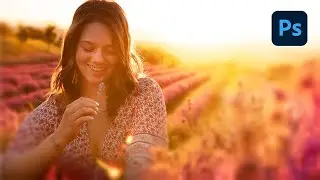
Looking to add a Dream like glow effect to your Photos? Want to make your Neon Lights really Glow to the MAX?!?
➡️ NEW LUTs and Presets: http://therunngun.com/shop/
In this Photoshop tutorial, we'll learn how to add this surreal effect, sometimes known as the Orton Effect, to your photographs. The Orton effect is named after the landscape photographer, Michael Orton. The glow was originally created by shooting two film frames: one in focus and properly exposed, the second was out of focus (blurry) and over exposed. The two frames were blended to create a sharp, yet dreamy glowing photograph.
This post processing technique can be used on any landscape, cyberpunk, long exposure, cityscape or photo that you think needs a dreamy, cinematic vibe. I especially love using it when editing my #neon portraits for an almost other-worldly feel.
All photos taken on my Nikon Z6 Mirrorless camera body.
My Run and Gun Gear:
► Nikon Z6 Mirrorless Body & FTZ Adapter: https://amzn.to/33EAiql
► Lowepro Photo Classic BP 300 AW: https://amzn.to/335lGAF
► Lowepro Tahoe BP150: https://amzn.to/34I0AIY
► 6" Optical Glass Prism: https://amzn.to/2LicEJk
► Panasonic GH5: https://amzn.to/2HSCSCm
► Zoom H4N: https://amzn.to/2HZy6z9
► RunNGun LUTs and Presets: http://therunngun.com/shop/
(Affiliate links)
For more Run and Gun Photography Tips, Tricks & Hacks SUBSCRIBE to the Channel: ➡️ http://bit.ly/2kDRoiS ⬅️
It's FREE, what have you got to lose?
Let me know your thoughts on my #NeonGlow #PhotoshopTutorial in the Comments! Until next time, Get Out & Go Shoot!

Доступные форматы для скачивания:
Скачать видео mp4
-
Информация по загрузке:




![Unleash Your Creativity with This Amazing Neon Paint Effect [Photoshop Tutorial]](https://image.4k-video.ru/id-video/YoU3faWkJuA)


