Microsoft Project 2013 Tutorial: BackStage View - Part 3 of 55
Автор: Project Management Mastery
Загружено: 2015-03-30
Просмотров: 1795
GRAB this course 94% OFF - https://www.udemy.com/learn-microsoft...
a. APPROVED BY PMI® for 5 PDU POINTS CAT 'B'.
b. The BEST Microsoft Project 2013 course you will find anywhere on the net - OR YOUR MONEY BACK!
c. 60 lessons, 5 Hours - exercise files, templates, pitfalls
d. Lifetime Access to lessons
e. Students from 100+ countries!
When you first load Project 2013, you will see this screen - with a lot of options on the right side of the screen on how to create a new project. You can choose from either creating a new project with options from the right side of the screen OR on the left side you might see a list of recent projects if you have already opened project files earlier.
For this lesson I am going to load an existing recent project file like so - and we can look at the backstage view.
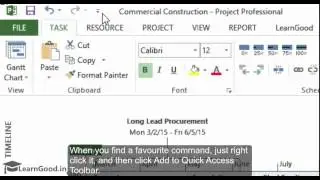
To enter into the Backstage - you have to click on the File tab - and by default the the first tab 'Info' is shown. The Info tab is where you can get high-level status about your project and make related changes. This is a convenient place to reference the location of your document, and copy it to the clipboard.
Learn the complete 5+ hour course - 55 topic videos - 500+ students within 1 day of launch. Get 88% off for first 1000 students: https://www.udemy.com/learn-microsoft...

Доступные форматы для скачивания:
Скачать видео mp4
-
Информация по загрузке: