Популярное

Музыка Кино и Анимация Автомобили Животные Спорт Путешествия Игры Юмор

Интересные видео

2025 Сериалы Трейлеры Новости Как сделать Видеоуроки Diy своими руками

Топ запросов

смотреть а4 schoolboy runaway турецкий сериал смотреть мультфильмы эдисон
dTub
Скачать

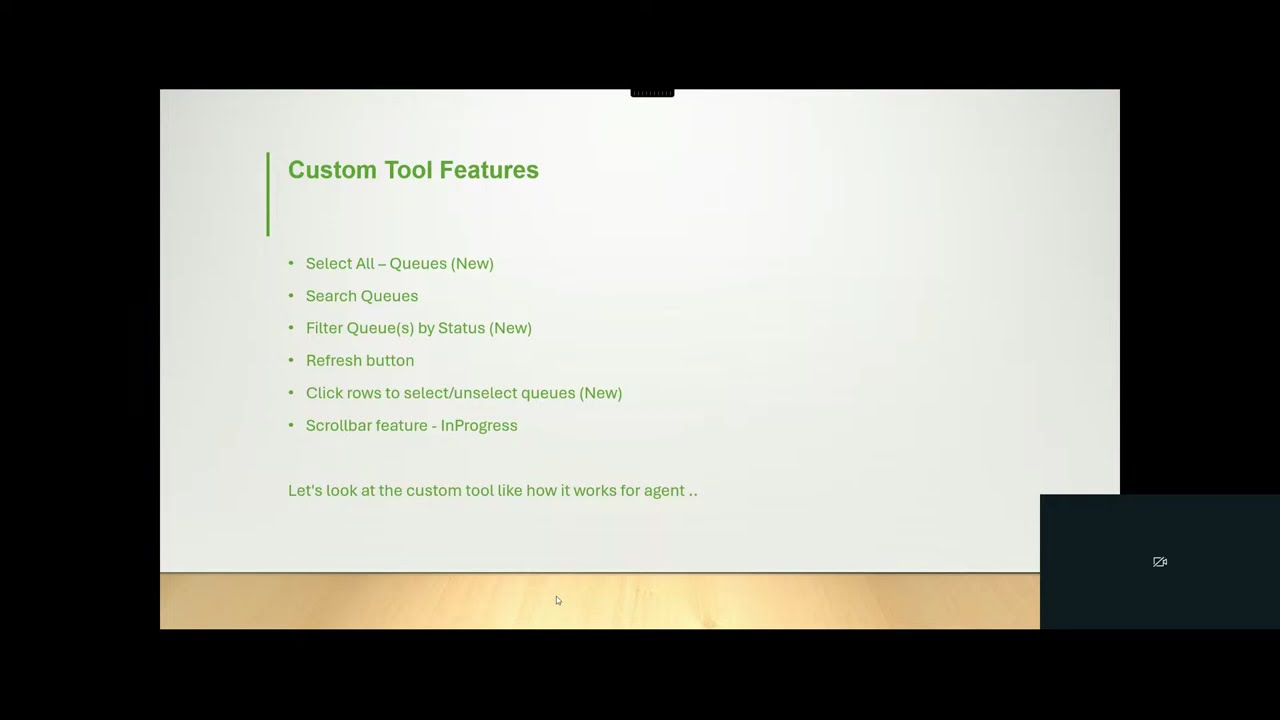
How to Configure Custom Client Apps & Interaction Widgets in Genesys Cloud

Автор: Genesys Cloud with Logan

Загружено: 2025-11-28

Просмотров: 74

Описание:

!!CHECK TO HIT THE SUBSCRIBE BUTTON!!

Here below link to download the python source code to run the custom application embedded in Genesys Cloud. (The custom tool as GCAD - "Queues Activation and Deactivation in Genesys Cloud".)

https://drive.google.com/file/d/1SheF...

Note: If any configurations related queries please feel free to ping me; will support to you!

Configurations:
Embedding custom Python applications within Genesys Cloud apps is achieved by leveraging the Genesys Cloud Client Apps framework. This framework allows you to embed web applications, which can be powered by your Python backend, directly into the Genesys Cloud user interface.

Here's how this works:
Develop your Python application as a web application:
Your Python application needs to be accessible via a URL.
This typically involves using a web framework like Flask or Django to serve your application's front-end (HTML, CSS, JavaScript) and handle API requests.

This web application will be the content that Genesys Cloud embeds.
Host your Python web application:

Your Python web application needs to be hosted on a server that is publicly accessible via the internet, allowing Genesys Cloud to reach its URL.

Configure a Client Application in Genesys Cloud:
• Navigate to the Admin section in Genesys Cloud and go to "Integrations."
• Add a new "Client Application" integration. Provide a name for your application and specify the URL of your hosted Python web application. Choose whether it should appear as a "standalone" application (accessible from the main menu) or a "widget" (e.g., an Interaction Widget that appears in the sidebar during interactions).
• Configure settings like iframe sandbox options and content security policies for security.
• Assign the application to specific Genesys Cloud groups so that the relevant agents can see and use it.

Interaction with Genesys Cloud (Optional but common):
• Your embedded Python application can interact with Genesys Cloud's functionality using the Genesys Cloud Platform API and the Client Apps SDK.
• The Python SDK for the Platform API allows your backend to make API calls to retrieve or update Genesys Cloud data (e.g., retrieve interaction details, update agent status). The Client Apps SDK, used in your front-end JavaScript, enables communication between your embedded application and the Genesys Cloud UI (e.g., opening specific Genesys Cloud pages, receiving context about the active interaction).
• By following these steps, you can seamlessly integrate custom Python-powered applications directly into the Genesys Cloud agent experience, extending its capabilities to meet your specific business needs.
How to Configure Custom Client Apps & Interaction Widgets in Genesys Cloud

Поделиться в:

Доступные форматы для скачивания:

Скачать видео mp4

  • Информация по загрузке:

Скачать аудио mp3

Похожие видео

Genesys Cloud Interaction Routing Explained: The Architect Overview

Genesys Cloud Interaction Routing Explained: The Architect Overview

Zmień STAREGO LAPTOPA w Coś Niesamowitego!

Zmień STAREGO LAPTOPA w Coś Niesamowitego!

How to Connect Python to HTML Easily | HTML with Python (2024)

How to Connect Python to HTML Easily | HTML with Python (2024)

Я в опасности

Я в опасности

How to Add a New User in Genesys Cloud

How to Add a New User in Genesys Cloud

Genesys Cloud December 2025 Release Highlights | AI Copilot, Analytics, Agent Controls

Genesys Cloud December 2025 Release Highlights | AI Copilot, Analytics, Agent Controls

Country Road Carriage | TV Wallpaper | Vintage Summer Countryside TV Painting Screensaver

Country Road Carriage | TV Wallpaper | Vintage Summer Countryside TV Painting Screensaver

Сварщик изобрел замок без ключа! Это простое изобретение может изменить всё.

Сварщик изобрел замок без ключа! Это простое изобретение может изменить всё.

AmneziaWG: Убийца платных VPN? Полный гайд по настройке. Нейросети без VPN. ChatGPT, Gemini обход

AmneziaWG: Убийца платных VPN? Полный гайд по настройке. Нейросети без VPN. ChatGPT, Gemini обход

Genesys Cloud Developer Study Guide for Freshers

Genesys Cloud Developer Study Guide for Freshers

Интервью: ребенок с СДВГ и ребенок без СДВГ

Интервью: ребенок с СДВГ и ребенок без СДВГ

У меня ушло 10+ лет, чтобы понять то, что я расскажу за 11 минут

У меня ушло 10+ лет, чтобы понять то, что я расскажу за 11 минут

Mr Bean does 'Blind Date' | Comic Relief

Mr Bean does 'Blind Date' | Comic Relief

Как начать вайб-кодить с ИИ: 6 принципов, которые заменят дорогие курсы

Как начать вайб-кодить с ИИ: 6 принципов, которые заменят дорогие курсы

Fly Through Bright White Luminous Glow Stars In Dreamy Dark Space 4K VJ Loop Moving Background

Fly Through Bright White Luminous Glow Stars In Dreamy Dark Space 4K VJ Loop Moving Background

БЕЛЫЕ СПИСКИ: какой VPN-протокол справится? Сравниваю все

БЕЛЫЕ СПИСКИ: какой VPN-протокол справится? Сравниваю все

How to Create an ACD Queue in Genesys Cloud

How to Create an ACD Queue in Genesys Cloud

Сисадмины больше не нужны? Gemini настраивает Linux сервер и устанавливает cтек N8N. ЭТО ЗАКОННО?

Сисадмины больше не нужны? Gemini настраивает Linux сервер и устанавливает cтек N8N. ЭТО ЗАКОННО?

Почему никто не использует Astro?

Почему никто не использует Astro?

ПЕРЕСТАНЬ ПЛАТИТЬ за Cursor AI. Используй эту БЕСПЛАТНУЮ и ЛОКАЛЬНУЮ альтернативу | VSCode+Roo Code

ПЕРЕСТАНЬ ПЛАТИТЬ за Cursor AI. Используй эту БЕСПЛАТНУЮ и ЛОКАЛЬНУЮ альтернативу | VSCode+Roo Code

© 2025 dtub. Все права защищены.


  • Контакты
  • О нас
  • Политика конфиденциальности


Контакты для правообладателей: infodtube@gmail.com