Appointment Reminder - Infusionsoft's February '15 Free Campaign of the Month
Автор: Keap
Загружено: 2015-02-17
Просмотров: 2476
Download This Campaign in the Infusionsoft Marketplace: http://insft.co/1yHUb9h
Use this campaign to send out reminder emails leading up to an appointment.
"Hello I'm Paul Sokol and this is the overview video for the February 2015 free campaign of the month. This month, we have an Appointment Reminder campaign.
Here's the general idea: Whenever you schedule an appointment with someone you can fill out this form with the date and time of the appointment. That sends them an immediate confirmation email and some reminders leading up to it. The recipient can also indicate they need to cancel or reschedule the appointment as well to prevent wasted time from no shows.
And thats it! A simple campaign to remind people about appointments with a sprinkle of fanciness to handle cancels and reschedules.
Also, this campaign 98% ready to go! After installing it, all you have to do is tell the system who handles the cancel/reschedule tasks and you can start using it immediately.
Let's dig in a little more.
The reminders are triggered by this internal form. It collects who the appointment is with, and when it is. While it doesn't show up in this view, the Appointment Date is a formal date field and the end user will have a calendar picker to help them choose the proper date. The Appointment Time field is just a text field.
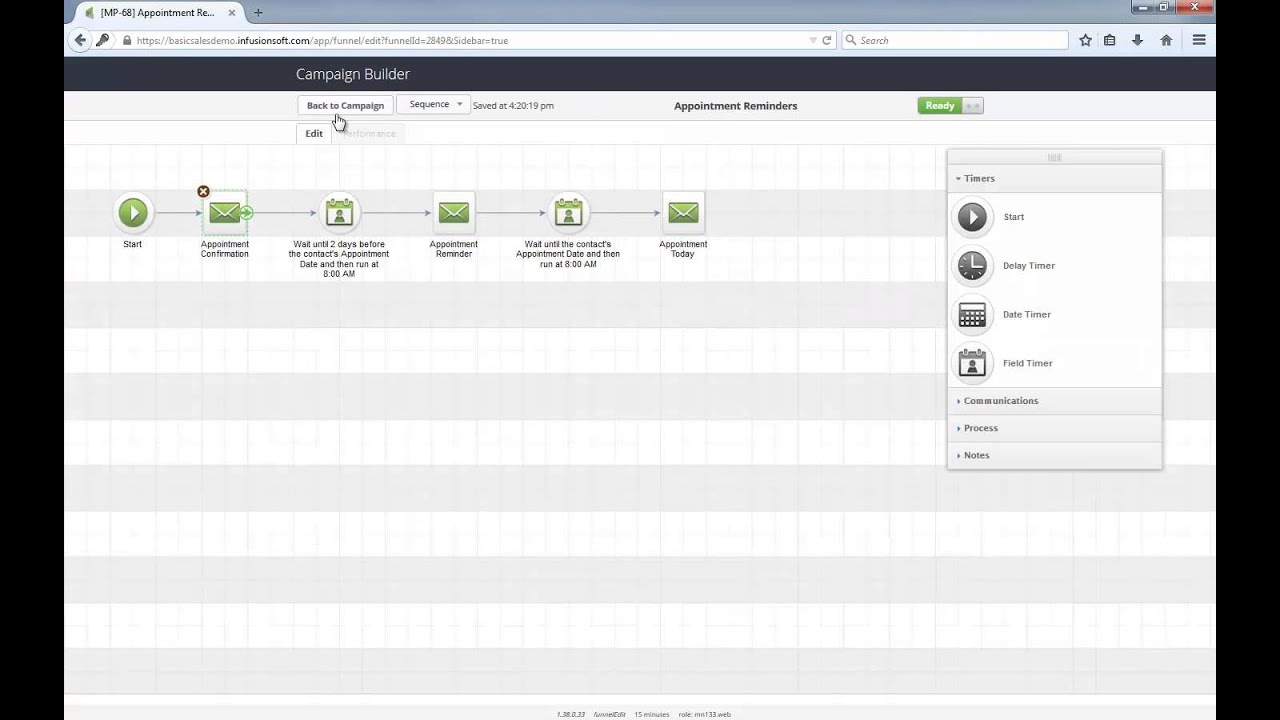
When that form is submitted, the contact enters the Appointment Reminders sequence and they immediately receive a confirmation email. As you can see, it is a very short and direct email. Two days before the appointment they get a reminder and then another one goes out the morning of.
Now, inside this Appointment Reminder email, there is a link where the recipient can click to cancel or reschedule. Let's see how this actually works. The link itself is just pointing to a Thank You page. Basically, a confirmation of the action they just took.
Back at the campaign level, there is a 'Request to Cancel' link click goal which is watching for that specific link in that particular email. If someone does click, they go into the Task to Reschedule sequence. This is the only part of the campaign that needs configuration upon install; you just have to tell the system who will be performing these reschedule attempts.
As with all campaigns in the marketplace, this Help Center article will show you everything you need to launch the campaign and start using it.
Tell me what you think below about this campaign and let's make our appointments stick!"
Доступные форматы для скачивания:
Скачать видео mp4
-
Информация по загрузке: