Популярное

Музыка Кино и Анимация Автомобили Животные Спорт Путешествия Игры Юмор

Интересные видео

2025 Сериалы Трейлеры Новости Как сделать Видеоуроки Diy своими руками

Топ запросов

смотреть а4 schoolboy runaway турецкий сериал смотреть мультфильмы эдисон
dTub
Скачать

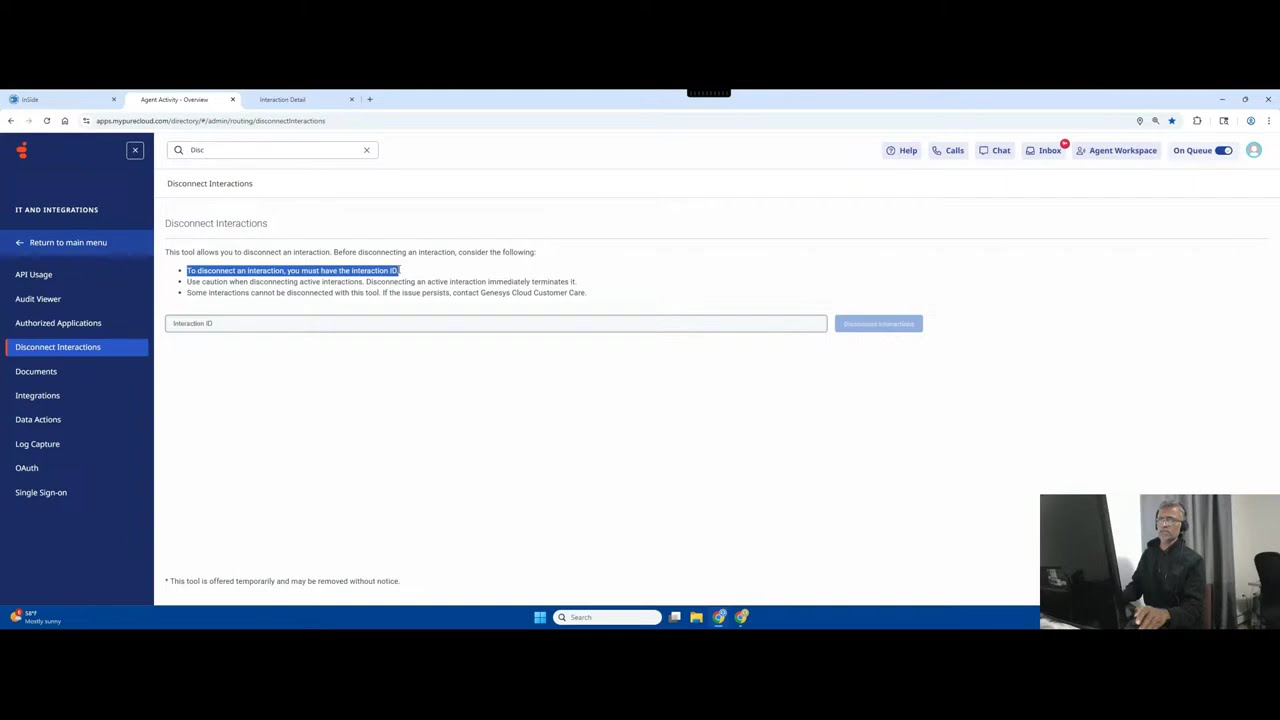
How to End an Interaction in Genesys Cloud (Call, Chat, Email)

Автор: Genesys Cloud with Logan

Загружено: 2025-11-16

Просмотров: 107

Описание:

!!CHECK TO HIT THE SUBSCRIBE BUTTON!!

That depends on whether you are an Agent disconnecting an active interaction or an Administrator configuring a flow to automatically disconnect.

Here is how you handle disconnection in both contexts within Genesys Cloud:

1. Agent Disconnection (Active Interactions)
If you are an agent and need to end an active call, chat, or email, you use the controls in the communication panel:

For Calls (Voice Interactions):
During the Call: Simply click the red phone icon (Hang up/Disconnect) located in the interaction window to end the call.

The System Disconnects: If the customer hangs up first, the call leg on their side ends, and you will see the interaction status change to Wrap-up.

For Chats, Messages, and Emails:
End Chat/Message: Click the End Chat or Disconnect button within the chat window. Note that the customer's side might take a moment to confirm disconnection, but for the agent, the interaction ends immediately.

Complete Email: Since email is asynchronous, you usually click Done or Wrap-up after sending the final reply. There is no instant "disconnect" button like a phone call.

Wrap-up (Post-Disconnection):
After the customer disconnects or you manually disconnect the interaction, the agent enters the Wrap-up state.

Wrap-up Time: This is a fixed time period (often 30–60 seconds) to complete notes, select a disposition code (e.g., "Sale Completed," "Technical Issue Resolved"), and update the CRM.

Final Disconnect: Once the agent clicks End Wrap-up (or the timer runs out), the interaction is officially closed, and the agent becomes available for the next interaction.

2. Administrator Disconnection (Architect Flows)
If you are configuring the routing and want the system to automatically disconnect the interaction at a certain point (e.g., after playing a message or failing to transfer), you use the Disconnect action in Architect:

Open the Flow: Navigate to Architect and open the relevant Call Flow.

Add Action: Drag the Disconnect action (under the Terminate category) into your flow.

Place the Action: Place this action at the point where you want the call to drop (e.g., after the maximum hold time is reached, or after a "closed hours" message is played).

When the flow executes the Disconnect action, the interaction is immediately ended from the Genesys Cloud side.

Please feel free to send queries (OR) ask for in person training FOR FULL COURSE WITH HANDS-ON EXPERIENCE when you are interested.!
Contact me through My email:LOGAN.SUPPARAYAN@GMAIL.COM
How to End an Interaction in Genesys Cloud (Call, Chat, Email)

Поделиться в:

Доступные форматы для скачивания:

Скачать видео mp4

  • Информация по загрузке:

Скачать аудио mp3

Похожие видео

How to Assign Roles and Permissions to Users in Genesys Cloud

How to Assign Roles and Permissions to Users in Genesys Cloud

Самый короткий тест на интеллект Задача Массачусетского профессора

Самый короткий тест на интеллект Задача Массачусетского профессора

Genesys Cloud Interaction Routing Explained: The Architect Overview

Genesys Cloud Interaction Routing Explained: The Architect Overview

Agentforce Service Assistant Follow Along Project Exercise

Agentforce Service Assistant Follow Along Project Exercise

Для Чего РЕАЛЬНО Нужен был ГОРБ Boeing 747?

Для Чего РЕАЛЬНО Нужен был ГОРБ Boeing 747?

Понимание Active Directory и групповой политики

Понимание Active Directory и групповой политики

[4K FULL HD] Relaxing Water Background | 1 HOUR | Calm Water Wallpaper (No Sound)

[4K FULL HD] Relaxing Water Background | 1 HOUR | Calm Water Wallpaper (No Sound)

25 Запрещенных Гаджетов, Которые Вы Можете Купить Онлайн

25 Запрещенных Гаджетов, Которые Вы Можете Купить Онлайн

БЕЛЫЕ СПИСКИ: какой VPN-протокол справится? Сравниваю все

БЕЛЫЕ СПИСКИ: какой VPN-протокол справится? Сравниваю все

Romantic pink hearts: Mood Frame tv Art for Valentine's Day | TV Screensaver and Background

Romantic pink hearts: Mood Frame tv Art for Valentine's Day | TV Screensaver and Background

Salesforce Admin Lecture 04 - Hands on - Apps, Tabs, SObjects, Fields, Data and Records

Salesforce Admin Lecture 04 - Hands on - Apps, Tabs, SObjects, Fields, Data and Records

How to Add a New User in Genesys Cloud

How to Add a New User in Genesys Cloud

Как правильно заводить двигатель в мороз?

Как правильно заводить двигатель в мороз?

1 Hour of Dark Abstract Height Map Pattern Loop Animation | QuietQuests

1 Hour of Dark Abstract Height Map Pattern Loop Animation | QuietQuests

Экспресс-курс RAG для начинающих

Экспресс-курс RAG для начинающих

How to Create an ACD Queue in Genesys Cloud

How to Create an ACD Queue in Genesys Cloud

Сисадмины больше не нужны? Gemini настраивает Linux сервер и устанавливает cтек N8N. ЭТО ЗАКОННО?

Сисадмины больше не нужны? Gemini настраивает Linux сервер и устанавливает cтек N8N. ЭТО ЗАКОННО?

Golden Particles and Textures Animation Background video | Footage | Screensaver

Golden Particles and Textures Animation Background video | Footage | Screensaver

Vintage Floral TV Art Screensaver Tv Wallpaper Home Decor Oil Painting Digital Wall Art

Vintage Floral TV Art Screensaver Tv Wallpaper Home Decor Oil Painting Digital Wall Art

Компания Salesforce признала свою ошибку.

Компания Salesforce признала свою ошибку.

© 2025 dtub. Все права защищены.


  • Контакты
  • О нас
  • Политика конфиденциальности


Контакты для правообладателей: infodtube@gmail.com