Популярное

Музыка Кино и Анимация Автомобили Животные Спорт Путешествия Игры Юмор

Интересные видео

2025 Сериалы Трейлеры Новости Как сделать Видеоуроки Diy своими руками

Топ запросов

смотреть а4 schoolboy runaway турецкий сериал смотреть мультфильмы эдисон
dTub
Скачать

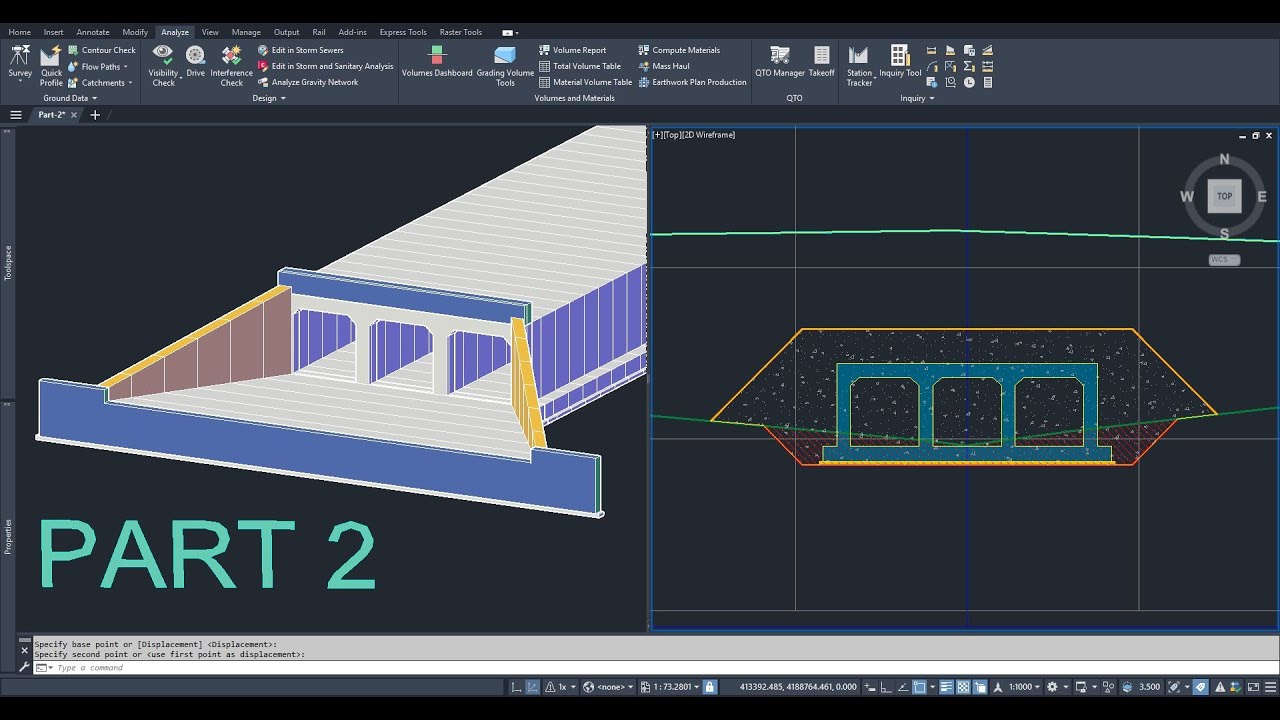
Autocad Civil 3D - Multi Cell Box Culvert and Backfill -Çok Gözlü Kutu Menfez ve Geri Dolgu - Part 2

Автор: Civil 3D

Загружено: 2024-02-10

Просмотров: 5725

Описание:

Multi Cell Box Culvert (Create multi cell box culvert with assembly and its calculation)
Çok Gözlü Kutu Menfez (Tip kesit ile çok gözlü kutu menfez çizimi ve hesaplarının yapılması)

Contact for assembly: [email protected]

Multi Cell Box Culvert Part 1:    • Autocad Civil 3D - Multi Cell Box Culvert ...  
Limitless Cell Box Culvert:    • Limitless Cell Box Culvert  
Skewed Box Culvert:    • Autocad Civil 3D - Skewed Box Culvert - Ve...  
Pipe Culvert:    • Autocad Civil 3D - Pipe Culvert - Boru (Bü...  

Linkedin Account:
  / civil-3d-designer-76a248299  

*Skewed box culvert is not drawn with multi cell box culvert assembly.
*Çok gözlü kutu menfez tip kesiti ile verevli menfezler çizilememektedir.


OPERATIONAL STEPS
Purpose: Drawing and calculating the dimensions of a two cells box culvert for an existing road project.
*It should be noted that detailed designs specific to the culvert are also required for precise calculations.

The horizontal alignment, vertical profile, assembly, corridor, and datum surface for the main road, as well as the horizontal alignment and vertical profile for the culvert, have already been drawn (see the video entitled "Box Culvert").

1. Assembly for the culvert will be created.
The culvert body corridor will be formed, then the corridor will be divided into three parts to create wing sections, and assembly will be defined.
2. Headwalls will be added to the culvert (with a length of 50 cm).
3. Wing base will be added to the culvert (with a length of 30 cm).
4. A 3D solid model will be created from the culvert corridor.
The volumes of concrete and lean concrete will be calculated using the "Massprop" command.
5. The datum surface of the main road will be hidden in the culvert wing sections remaining on the main road corridor, and will not be included in the volume calculation.
6. The datum surface for the sloped culvert will be created.
Cross-sections will be created along the culvert alignment on the main road, and the datum surface for the culvert will be shown in these sections.
The datum surface below the wing base will be thoroughly corrected.
7. Cross-sections will be created and the culvert volume will be calculated.
*After the volume calculation, the changes made to the datum surface of the culvert will be reverted.
8. The refill volume for the middle section (including the culvert volume) will be calculated.
9. The culvert volume will be subtracted from the refill volume for the middle section to calculate the final refill volume.
10. The refill volume for the side sections will be calculated.
11. The excavation and fill volume for the main road will be calculated without creating cross-sections. The culvert volumes will be added to or subtracted from this volume to calculate the final fill volume.
Autocad Civil 3D - Multi Cell Box Culvert and Backfill -Çok Gözlü Kutu Menfez ve Geri Dolgu - Part 2

Поделиться в:

Доступные форматы для скачивания:

Скачать видео mp4

  • Информация по загрузке:

Скачать аудио mp3

Похожие видео

Autocad Civil 3D - Multi Cell Box Culvert and Backfill -Çok Gözlü Kutu Menfez ve Geri Dolgu - Part 1

Autocad Civil 3D - Multi Cell Box Culvert and Backfill -Çok Gözlü Kutu Menfez ve Geri Dolgu - Part 1

Autocad Civil 3D - Skewed Box Culvert - Verevli Kutu Menfez

Autocad Civil 3D - Skewed Box Culvert - Verevli Kutu Menfez

119-Complete Video Unlocking the Power of Subassembly Composer Box Culvert & Wing Walls   (CIVIL 3D)

119-Complete Video Unlocking the Power of Subassembly Composer Box Culvert & Wing Walls (CIVIL 3D)

Autocad Civil 3D - Betonarme İksa Duvarı (Yarmada) - Concrete Shoring Wall (Cut)

Autocad Civil 3D - Betonarme İksa Duvarı (Yarmada) - Concrete Shoring Wall (Cut)

Box culvert in civil 3d

Box culvert in civil 3d

Autocad Civil 3D - Diş Kazısı - Step Excavation (Multiple Bench Excavation) - V1

Autocad Civil 3D - Diş Kazısı - Step Excavation (Multiple Bench Excavation) - V1

Чем ОПАСЕН МАХ? Разбор приложения специалистом по кибер безопасности

Чем ОПАСЕН МАХ? Разбор приложения специалистом по кибер безопасности

Ростислав Ищенко. Прорыв в переговорах с США и побег украинских чиновников

Ростислав Ищенко. Прорыв в переговорах с США и побег украинских чиновников

Гениальное изобретение 60-летнего плотника поразило миллионы! Полезные советы по деревообработке.

Гениальное изобретение 60-летнего плотника поразило миллионы! Полезные советы по деревообработке.

Grading:  Fun with Feature Lines

Grading: Fun with Feature Lines

Универсальная технология резонаторов прошлого (11.12.2025)

Универсальная технология резонаторов прошлого (11.12.2025)

Семинар Civil 3D 2021 — Освоение градостроительной подготовки в Civil 3D

Семинар Civil 3D 2021 — Освоение градостроительной подготовки в Civil 3D

Autocad Civil 3D - Pipe Culvert - Boru (Büz) Menfez

Autocad Civil 3D - Pipe Culvert - Boru (Büz) Menfez

Autocad Civil 3D - Box Culvert - Kutu Menfez

Autocad Civil 3D - Box Culvert - Kutu Menfez

Site Grading in Civil 3D

Site Grading in Civil 3D

Autocad Civil 3D   Box Culvert

Autocad Civil 3D Box Culvert

Drawing and Displaying 3D Models in Civil 3D Webinar

Drawing and Displaying 3D Models in Civil 3D Webinar

Pressure Pipes:  Getting Started with Pipe Runs

Pressure Pipes: Getting Started with Pipe Runs

How To Automatically Generate Pipe Culvert Working Drawing Using Auto CAD Civil 3D Software

How To Automatically Generate Pipe Culvert Working Drawing Using Auto CAD Civil 3D Software

Sub-ensamblaje de Obra de drenaje transversal (ODT) para Civil 3D

Sub-ensamblaje de Obra de drenaje transversal (ODT) para Civil 3D

© 2025 dtub. Все права защищены.


  • Контакты
  • О нас
  • Политика конфиденциальности


Контакты для правообладателей: [email protected]