Популярное

Музыка Кино и Анимация Автомобили Животные Спорт Путешествия Игры Юмор

Интересные видео

2025 Сериалы Трейлеры Новости Как сделать Видеоуроки Diy своими руками

Топ запросов

смотреть а4 schoolboy runaway турецкий сериал смотреть мультфильмы эдисон
dTub
Скачать

Cutting the Inside and Outside of Stamped Images using the Brother ScanNCut- Basket Bunch

Автор: Papered Chef

Загружено: 2018-03-11

Просмотров: 13837

Описание:

If you are just tuning in and haven't watched the first couple of tutorials, I highly recommend watching these two videos first so that you don't get lost.

Brother ScanNCut - Cutting the Inside & Outside of Stamped Images - Seaside Shore
   • Brother ScanNCut - Cutting the Inside & Ou...  

Brother ScanNCut - Cutting the Inside & Outside of Stamped Images - Crafting Forever
   • Brother ScanNCut - Cutting the Inside & Ou...  

In this tutorial, I demonstrate how to cut out the inside and outside of stamped images using the Brother Scan N’ Cut. I used the Basket Bunch retired stamp set by Stampin’ Up. I stamped the basket in Soft Suede ink onto Whisper White card stock. I used a blade depth of 5.

To cut the inside, I used the Scan to Cut Data feature. I used the second option which saves the inside and outside of the basket. I zoomed in, dragged away the parts of the basket I didn't wish to cut, went back into editing mode and deleted them. This process saved just the inside shape of the basket. I saved it to my machine.

Next, I returned home, selected the Pattern feature and retrieved the saved basket data. Then, I scaled that down and cut out the shape. Because the shape was smaller than the original, there appears to be an outline distance or border around the inside of the basket. After cutting the inside, I returned home again. I scanned the image again, this time using the Direct Cut feature. I cut out the basket with an outline distance which matched the inside distance.

At this point, I removed the image from the mat to show my crafty friends the finished product. What may seem like a lot of steps is worth it in the end because your cut images will look professional and you will not need to spend time fussy cutting. Please check out my blog for lots of other crafty inspiration.

If you are watching this video and you still don't have a Brother Scan N Cut, then please visit my affiliate link to purchase one. It will make your projects come alive in ways you never thought possible. http://amzn.to/2ED5PAt

Visit my blog for crafty inspiration: http://thepaperedchef.com

Cutting the Inside and Outside of Stamped Images using the Brother ScanNCut- Basket Bunch

Поделиться в:

Доступные форматы для скачивания:

Скачать видео mp4

  • Информация по загрузке:

Скачать аудио mp3

Похожие видео

Cutting the Inside & Outside of Stamped Images using the Brother ScanNCut - Beautiful Day

Cutting the Inside & Outside of Stamped Images using the Brother ScanNCut - Beautiful Day

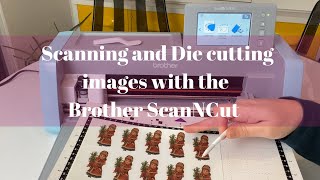
Scanning and cutting images with the Brother ScanNCut DX tutorial

Scanning and cutting images with the Brother ScanNCut DX tutorial

How to make a Foldable Laptop Stand – using Wooden rulers

How to make a Foldable Laptop Stand – using Wooden rulers

Давайте вырежем штампованную надпись на Brother Scan N Cut sdx225.

Давайте вырежем штампованную надпись на Brother Scan N Cut sdx225.

Brother ScanNCut - Cutting the Inside & Outside of Stamped Images - Crafting Forever

Brother ScanNCut - Cutting the Inside & Outside of Stamped Images - Crafting Forever

Brother ScanNCut Tips & Tricks Tutorial - Scan to Cut Data - My Wonderful Family Paper Pumpkin Kit

Brother ScanNCut Tips & Tricks Tutorial - Scan to Cut Data - My Wonderful Family Paper Pumpkin Kit

ScanNCut SDX125 Creating Shadow Layers for Die Cuts & Fussy-Cut Stamped Images (with CM350 Notes)

ScanNCut SDX125 Creating Shadow Layers for Die Cuts & Fussy-Cut Stamped Images (with CM350 Notes)

ScanNCut: 10 вещей, которые я хотел бы знать, начиная работу в Allbrands After Hours

ScanNCut: 10 вещей, которые я хотел бы знать, начиная работу в Allbrands After Hours

Если у тебя спросили «Как твои дела?» — НЕ ГОВОРИ! Ты теряешь свою силу | Еврейская мудрость

Если у тебя спросили «Как твои дела?» — НЕ ГОВОРИ! Ты теряешь свою силу | Еврейская мудрость

Brother ScanNCut Tips & Tricks - Cutting Stamped Sentiments - Tag Buffet by Stampin’ Up!

Brother ScanNCut Tips & Tricks - Cutting Stamped Sentiments - Tag Buffet by Stampin’ Up!

Create Drawings from Stamps with ScanNCut

Create Drawings from Stamps with ScanNCut

ScanNCut Maintenance: Cleaning and Calibrating a DX model: #stayhome and look after your DX #withme

ScanNCut Maintenance: Cleaning and Calibrating a DX model: #stayhome and look after your DX #withme

ScanNCut для штампованных изображений и советы по устранению неполадок

ScanNCut для штампованных изображений и советы по устранению неполадок

[1967s] Vintage Old Christmas Playlist, Christmas Nostalgia️🎶🎄Oldies Classic Christmas Songs 🎶

[1967s] Vintage Old Christmas Playlist, Christmas Nostalgia️🎶🎄Oldies Classic Christmas Songs 🎶

Brother Scan N Cut Easy Note Card Gift Idea

Brother Scan N Cut Easy Note Card Gift Idea

How To Cut Digital Downloads With Brother Scan N Cut CM350

How To Cut Digital Downloads With Brother Scan N Cut CM350

Gift Wrapping Ideas | 禮物包裝長方形 + 摺紙玫瑰花教學(Step By Step)

Gift Wrapping Ideas | 禮物包裝長方形 + 摺紙玫瑰花教學(Step By Step)

Cutting Stamped Images using the Brother ScanNCut - Beauty Abounds by Stampin’ Up!

Cutting Stamped Images using the Brother ScanNCut - Beauty Abounds by Stampin’ Up!

Brother ScanNCut - Cutting the Inside & Outside of Stamped Images - Seaside Shore

Brother ScanNCut - Cutting the Inside & Outside of Stamped Images - Seaside Shore

Turn hand lettering into vinyl stickers with the Brother ScanNCut

Turn hand lettering into vinyl stickers with the Brother ScanNCut

© 2025 dtub. Все права защищены.


  • Контакты
  • О нас
  • Политика конфиденциальности


Контакты для правообладателей: [email protected]